AI Resume Templates: How to Create a Professional Resume With AI
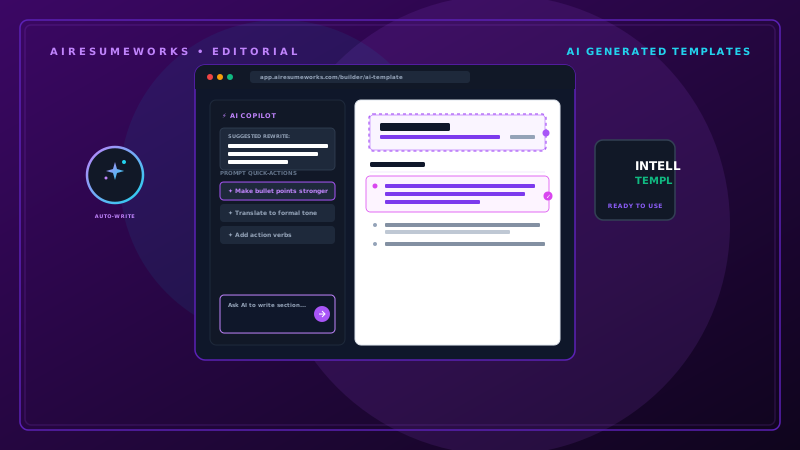
AI resume templates combine traditional resume layouts with artificial intelligence tools that can help you create, organize, and improve your resume.
Instead of starting with a blank page, you can use an AI-powered resume service to help structure your information, generate initial wording, and place your content into a professional design.
This can save time, particularly if you are unsure how to organize your experience or how to describe your accomplishments. However, an AI resume template should be treated as a starting point, not a finished resume. The information still needs to be accurate, relevant, and tailored to the position you want.
What Is an AI Resume Template?
An AI resume template is a pre-designed resume format that is combined with AI-powered features. Depending on the service, you may be able to:
- Enter your career information
- Generate a professional summary
- Improve work experience descriptions
- Create resume bullet points
- Identify relevant skills
- Match your resume to a job description
- Choose from different layouts
- Modify sections
- Export the finished resume
Some services focus primarily on design, while others combine templates with AI writing and job-application features. Because the features differ between platforms, it is important to understand what a particular service actually provides.
Why Use an AI Resume Template?
Creating a resume manually can involve many decisions. You need to determine:
- Which sections to include
- How to organize your experience
- How much information to include
- How to describe your accomplishments
- Which skills to highlight
- How to format the document
An AI-assisted template can simplify some of those decisions. Instead of worrying about formatting everything from scratch, you can concentrate on providing accurate information about your professional background.
Start With Your Own Information
Before using an AI resume template, gather the information you want to include. This may include:
Contact information
Employment history
Job titles
Employment dates
Accomplishments
Education
Skills
Certifications
Projects
Volunteer experience
The AI tool can organize and improve the presentation, but it cannot replace the need for accurate information. The more complete your information is, the more useful the generated resume is likely to be.
Choose a Professional Layout
AI resume services may offer several templates. Common styles include:
- Traditional
- Modern
- Minimalist
- Professional
- Creative
- Industry-specific
Choose a design based on the position you are applying for. For example, a graphic designer may have more flexibility with visual presentation than an accountant applying to a traditional corporate position.
When in doubt, choose a clean and professional layout. The content should remain the most important part of the resume.
Keep ATS Compatibility in Mind
Applicant tracking systems (ATS) can process resumes submitted through online application systems. A complicated resume design can sometimes make information more difficult for software to interpret.
When selecting an AI resume template, look for:
- Clear section headings
- Readable fonts
- Logical organization
- Standard text
- Simple formatting
- Easy-to-follow reading order
A visually impressive template is not necessarily the best choice if it makes your qualifications harder to find.
Avoid Overly Decorative Templates
Some AI resume services offer highly visual templates containing:
- Large graphics
- Icons
- Skill charts
- Progress bars
- Multiple text columns
- Decorative elements
These features may look attractive, but they can distract from your qualifications. They may also create potential parsing issues with some application systems.
For most job applications, a clean layout is a safer choice.
Use AI to Write Your Professional Summary
One of the most useful features of an AI resume template can be AI-assisted writing. You can provide information about your background and ask the system to create a professional summary.
For example, you might provide:
- Five years of customer service experience
- Experience with account management
- CRM experience
- Employee training
- Strong problem-solving abilities
The AI can turn that information into a concise summary. Review the result carefully. Remove generic statements and make sure every claim accurately reflects your background.
Improve Your Resume Bullet Points
AI can also help improve weak work experience descriptions. Consider:
Answered customer questions. AI might suggest a more detailed version such as:
Assisted customers with product and service questions, resolved account issues, and documented customer interactions. The revised statement communicates more information.
However, it should only be used if those responsibilities accurately describe your work. AI should improve your wording, not create fictional experience.
Tailor the Template to the Job
A strong resume should reflect the position you are applying for. For example, suppose you are applying for a project coordinator position. Your resume may need to emphasize:
- Project coordination
- Scheduling
- Communication
- Documentation
- Organization
- Microsoft Office
- Team collaboration
An AI resume tool may help identify these areas when you provide the job description. You can then adjust your resume accordingly.
Use Job-Specific Keywords
AI can help identify important keywords in a job posting. For example, a position might mention:
- Customer relationship management
- Salesforce
- Account management
- Customer retention
If you genuinely possess those qualifications, make sure they appear naturally in your resume. Do not add skills you do not have simply because the AI tool recommends them.
Keywords should accurately describe your experience.
Don't Let AI Invent Accomplishments
This is one of the most important rules when using AI for resumes. Suppose you tell an AI tool that you helped improve sales. It might generate:
Increased sales by 30%. If you do not have evidence that sales increased by 30%, you should not use that statement. Instead, you could describe the actual contribution:
Supported sales activities by assisting customers, answering product questions, and identifying appropriate products based on customer needs. The statement remains useful without inventing a number.
Use Numbers When They Are Accurate
Quantifiable accomplishments can make resume bullets stronger. Useful measurements can include:
- Number of customers
- Team size
- Sales
- Revenue
- Projects completed
- Time saved
- Costs reduced
- Productivity improvements
For example:
Assisted an average of 50 customers per day while maintaining accurate account records. Specific information provides more context than a vague statement.
But never create statistics simply because an AI tool suggests that quantified results would sound better.
Check the Template's Section Options
Different careers require different resume sections. A good AI resume template may allow you to add or remove sections such as:
Professional Summary
Work Experience
Skills
Education
Certifications
Projects
Volunteer Experience
Awards
Languages
Publications
You should not include every available section. Choose the sections that strengthen your application.
Choose the Right Section Order
The order of your resume sections should reflect your strongest qualifications. For an experienced professional, you might use:
Contact Information
Professional Summary
Work Experience
Skills
Certifications
Education
For a recent graduate, you might place education and projects higher. For a career changer, relevant skills and transferable experience may deserve greater emphasis.
There is no requirement that every resume follow exactly the same order.
Consider the Length
An AI tool may make it easy to add large amounts of content. That does not mean you should use everything it generates. Review each section and remove information that does not help your application.
A resume should be concise enough for an employer to quickly identify the most important qualifications. If AI creates three paragraphs describing a single job, there may be opportunities to shorten it.
Review AI-Generated Skills
AI may suggest skills based on your work experience or the job description. Review every suggestion carefully. Ask:
Do I actually have this skill? Have I used it? Can I explain my experience with it? Is it relevant to this job? If the answer is no, leave it out. A shorter list of genuine skills is better than a longer list containing qualifications you cannot support.
Check the Template's Export Options
Before completing your resume, determine how you can export it. Possible options may include:
- Microsoft Word
- Plain text
- Other formats
If the employer specifies a particular file format, follow the employer's instructions. Also open the exported document and inspect it. Make sure:
- Page breaks are correct
- Text is not cut off
- Headings are consistent
- Fonts look correct
- Bullet points display properly
- Contact information is visible
Do not assume that the exported file will look exactly like the editor's preview.
Be Careful With Free AI Resume Templates
Some websites advertise free AI resume templates but limit important features to paid plans. For example, a service might allow you to:
- Select a template
- Enter information
- Generate content
- Preview your resume
but require payment to:
- Download the resume
- Remove a watermark
- Access premium templates
- Use advanced AI features
Check the pricing information before spending a significant amount of time building your resume. "Free to create" does not always mean "free to download."
Review Privacy Policies
AI resume services process professional and personal information. Your resume may contain:
Your name
Email address
Phone number
Employment history
Education
Professional qualifications
Before uploading your resume, review the service's privacy policy and information about how uploaded documents are handled. Consider whether you are comfortable with the company's data practices.
Don't Use the Same AI Resume Template for Every Career
Different industries may call for different presentations. A creative professional may benefit from a more visually distinctive design. A finance professional may be better served by a traditional layout.
A technology professional may want space for projects and technical skills. A recent graduate may need a structure that gives greater prominence to education and projects.
The template should support the content rather than determine it.
AI Templates Can Help Career Changers
AI resume templates can be useful for career changers because AI can help reorganize existing experience around transferable qualifications. Suppose someone is moving from retail management into office administration.
Their previous experience might include:
- Employee scheduling
- Customer communication
- Inventory management
- Staff training
- Record keeping
An AI tool may help rewrite these experiences to emphasize skills relevant to administrative positions. The underlying experience remains the same. The goal is simply to communicate it in a way that makes its relevance clearer.
AI Templates Can Help First-Time Job Seekers
People creating their first resume may not know how to structure the document. An AI template can provide a starting point. A first resume might include:
Contact information
Objective or summary
Education
Skills
Projects
Volunteer experience
Part-time work
The template provides the structure while the job seeker supplies the actual information. This can be less intimidating than beginning with a completely blank document.
Use AI as an Assistant
The most effective way to use an AI resume template is to think of AI as an assistant. Let it help with:
- Organization
- Formatting
- Drafting
- Rewriting
- Keyword identification
- Job-description analysis
But keep control over:
Accuracy
Personal information
Accomplishments
Skills
Career history
Final wording
This balance allows you to benefit from AI without allowing it to misrepresent your professional background.
Review the Entire Resume Before Applying
Once your AI-assisted resume is complete, perform a complete review. Check your:
Contact Information
Make sure your name, phone number, email address, and professional links are correct.
Experience
Check job titles, company names, dates, responsibilities, and accomplishments.
Skills
Make sure every listed skill is accurate.
Education
Verify schools, degrees, and dates.
Keywords
Make sure relevant job requirements are represented where appropriate.
Formatting
Check spacing, page breaks, fonts, headings, and bullet points.
Content
Remove anything repetitive, generic, inaccurate, or irrelevant.
Don't Forget the Human Reader
An ATS-friendly resume still needs to make sense to a recruiter or hiring manager. A resume can contain all the right keywords and still be weak if it is:
- Difficult to read
- Repetitive
- Generic
- Poorly organized
- Filled with unsupported claims
Your goal is not to create a resume that looks impressive to software. Your goal is to create a resume that clearly communicates your qualifications to everyone involved in the hiring process.
A Practical AI Resume Template Workflow
You can simplify the process by following these steps:
Step 1: Gather your accurate career information. Step 2: Choose a professional template. Step 3: Enter your work experience, education, skills, and other relevant information.
Step 4: Use AI to help draft or improve the wording. Step 5: Review every AI-generated statement. Step 6: Compare your resume with the job description.
Step 7: Add relevant keywords that accurately describe your experience. Step 8: Remove unnecessary information. Step 9: Check the formatting and export options.
Step 10: Proofread the final document. Step 11: Tailor the resume for the specific position. AI resume templates can make the resume-building process faster, particularly when you need help with structure, wording, or formatting. They can also help you tailor your resume and identify relevant keywords.
But the template itself does not make the resume effective. The strongest resume combines a professional layout, accurate information, relevant experience, appropriate keywords, and clear evidence of your abilities. Use AI to reduce the amount of repetitive work, but review everything it produces before sending your resume to an employer.
A good AI resume template should make your qualifications easier to present—not replace your judgment about what those qualifications actually are.