ATS Resumes: How to Make Your Resume ATS-Friendly
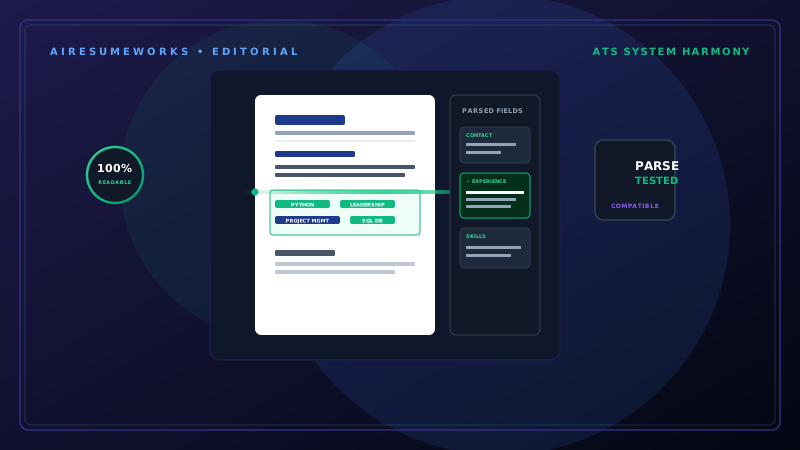
Many employers use applicant tracking systems (ATS) to help manage job applications. These systems can collect resumes, organize candidates, and help recruiters identify applicants whose qualifications match a position.
Because of this, creating a resume that is easy for both an ATS and a human recruiter to understand can improve the way your qualifications are presented during the application process.
An ATS-friendly resume does not need to be plain or unattractive. The goal is to use a clear structure, readable formatting, relevant keywords, and straightforward language so your information can be processed correctly.
What Is an ATS?
ATS stands for Applicant Tracking System. Employers use these systems to manage applications, particularly when they receive a large number of resumes for a position.
Depending on the system and employer, an ATS may help with tasks such as:
- Collecting applications
- Storing resumes
- Searching candidate information
- Organizing applicants
- Identifying relevant qualifications
- Filtering or ranking candidates
Different ATS platforms work differently, so there is no single formatting trick that guarantees a resume will pass every system. The safest approach is to make your resume clear, readable, and relevant.
Why ATS-Friendly Resumes Matter
Imagine an employer receives hundreds of applications for one position. A recruiter may not have time to manually examine every resume in detail. An ATS can help organize those applications and make it easier to find candidates who appear to meet the requirements.
If your resume contains the right qualifications but uses unusual formatting or fails to clearly communicate those qualifications, the information may be harder to interpret.
An ATS-friendly resume helps reduce that risk.
Use Standard Resume Sections
One of the simplest ways to make your resume easier to understand is to use familiar section headings. Good examples include:
Professional Summary
Work Experience
Education
Skills
Certifications
Projects
Avoid replacing standard headings with creative alternatives. For example, "Where I've Worked" may sound interesting, but "Work Experience" is much clearer.
Standard headings help both software and human readers understand the purpose of each section.
Use Relevant Keywords
Keywords are important because job descriptions often contain specific terms describing the employer's requirements. For example, a job posting might request:
- Customer service
- Microsoft Excel
- Project management
- Data analysis
- CRM software
If you genuinely have those skills, your resume should use the appropriate terminology when describing your experience. For example, if you used Salesforce in a previous position, simply saying "customer database software" may be less useful than accurately identifying Salesforce.
However, do not add keywords you do not actually possess. Keyword stuffing can make a resume difficult to read and can create an inaccurate representation of your background.
Study the Job Description
The job description is one of the best sources of information when tailoring your resume. Look for:
- Required skills
- Preferred skills
- Job responsibilities
- Software
- Certifications
- Education requirements
- Industry terminology
- Job-specific qualifications
Then compare those requirements with your own experience. If there is a genuine match, make that connection clear in your resume. For example, if the employer specifically requests "inventory management" and you have managed inventory in previous positions, use the term naturally in your work experience or skills section.
Use a Simple Layout
An ATS-friendly resume generally benefits from a straightforward layout. Use:
- Clear headings
- Consistent spacing
- Readable fonts
- Normal margins
- Logical section order
- Standard bullet points
You can still use tasteful formatting and professional typography. The important thing is that the design should not interfere with the information. Avoid making the resume unnecessarily complicated simply to make it visually distinctive.
Be Careful With Columns
Multi-column resumes can look attractive, but complex layouts can sometimes create problems when software attempts to extract the text. For maximum simplicity, a single-column layout is generally the safest option.
If you use columns, make sure the reading order remains logical and that important information is not placed in a way that could confuse document parsing.
A clean single-column resume is often sufficient for most job applications.
Avoid Putting Important Information in Images
Do not place important resume information inside an image. For example, your:
Name
Skills
Job history
Education
Certifications
Contact information
should be actual text rather than part of a graphic. Text can generally be selected, copied, and processed more easily than information embedded inside an image.
Decorative graphics should never replace important written information.
Choose Readable Fonts
Use a professional, easy-to-read font. Examples include:
- Arial
- Calibri
- Georgia
- Times New Roman
- Helvetica
- Other standard professional fonts
You do not need an unusual font to make your resume stand out. The content and organization should do most of the work. Also avoid using extremely small text to force more information onto the page.
Use Standard Bullet Points
Bullet points make work experience easier to scan. For example:
Managed customer accounts and resolved service issues. Trained new employees on company procedures. Maintained accurate customer records. Processed daily transactions and reports.
Keep formatting consistent throughout the resume. Avoid excessive symbols, unusual icons, or decorative characters in place of normal bullet points.
Write Clear Job Titles
Use accurate job titles whenever possible. If your official job title was unusual but your responsibilities correspond to a commonly understood position, you may sometimes clarify it without misrepresenting your role.
For example:
Customer Experience Specialist rather than inventing a completely different title such as Customer Service Manager. Never change your job title to something that implies responsibilities or authority you did not have.
Accuracy is more important than keyword optimization.
Include Dates Clearly
Employment dates should be easy to understand. For example:
Customer Service Representative
ABC Company — Atlanta, GA
January 2022 – March 2026
Avoid unusual date formats that could make your employment history difficult to interpret. Consistency is important. Use the same date format throughout your resume.
Don't Hide Keywords
Some job seekers attempt to manipulate ATS systems by placing keywords in tiny text, hiding them in the background, or repeating them unnecessarily. This is a poor strategy.
Hidden or excessive keywords do not demonstrate that you actually have the required qualifications. Instead, incorporate relevant terms naturally into:
Professional summary
Work experience
Skills
Certifications
Projects
The resume should make sense to a human reader.
Match the Language of the Job Description
Employers may use specific terminology for skills and technologies. Suppose your resume says:
Managed customer relationships using database software. The job description says:
Experience with Salesforce CRM required. If you actually used Salesforce, identifying it by name can make your experience clearer. You can write:
Managed customer accounts using Salesforce CRM and maintained accurate customer records. This is more precise and directly communicates the relevant experience.
Don't Keyword Stuff
There is an important difference between using relevant keywords and stuffing a resume with them. Poor example:
Customer service, customer service representative, customer service skills, customer service experience, customer service specialist. That is not useful writing.
A better approach is:
Provided customer service to high-volume accounts, resolving billing and service issues while maintaining accurate customer records. The relevant terminology appears naturally within useful information.
Keep Formatting Consistent
Inconsistent formatting can make a resume difficult to read. For example, if one job uses:
January 2024 – Present
and another uses:
6/2022 to 12/2023
the resume may look less polished. Choose a format and use it consistently. The same applies to:
- Headings
- Font sizes
- Bullet points
- Job titles
- Company names
- Spacing
- Dates
Consistency improves readability.
Be Careful With Headers and Footers
Some document systems can have difficulty extracting information from headers and footers. For maximum simplicity, keep important information in the main body of the document.
Your name and contact information can appear at the top of the resume as normal text. Avoid placing critical skills, job information, or contact details exclusively in a footer.
Use the Right File Format
Follow the employer's instructions when submitting your resume. If the employer requests a specific file type, use it. If no format is specified, PDF is commonly used because it preserves the appearance of the document.
However, some application systems may specifically request Word documents. The important thing is to follow the employer's instructions rather than automatically assuming one format is appropriate for every application.
Keep Your Resume Focused
ATS optimization is not an excuse to make your resume unnecessarily long. Include relevant information that supports your application. You do not need to list every task you have performed during your entire career.
Focus on:
- Relevant experience
- Relevant skills
- Relevant accomplishments
- Relevant education
- Relevant certifications
- Relevant projects
A targeted resume is generally more useful than a document containing every professional detail you have accumulated.
Check Your Resume Before Applying
Before submitting an ATS-friendly resume, review it carefully. Check:
Contact information
- Name is correct
- Phone number is correct
- Email address is correct
- Professional links work
Experience
- Job titles are accurate
- Company names are correct
- Dates are correct
- Accomplishments are accurate
Keywords
- Important job requirements are addressed
- Relevant skills are included
- Keywords appear naturally
Formatting
Section headings are clear Fonts are readable Spacing is consistent Bullet points are consistent No important information is hidden inside graphics Consider Using an ATS Resume Checker
Some online services allow you to upload your resume and compare it with a job description. These tools may identify:
- Missing keywords
- Formatting concerns
- Skills that are not emphasized
- Potential ATS issues
- Job-description matches
An ATS checker can be useful as an additional review, but its score should not be treated as a guarantee. Different employers use different systems and screening processes.
A resume score from one service cannot predict exactly how every employer will evaluate your application.
AI Can Help With ATS Optimization
AI tools can also help analyze a resume against a job description. For example, AI can identify important terms in a job posting and compare them with the language used in your resume.
It can also help rewrite a bullet point so that an existing qualification is communicated more clearly. For example:
Helped manage projects. could potentially become:
Coordinated project schedules, tracked deadlines, and communicated status updates to team members. The revised version provides more useful information.
However, it should only be used if those responsibilities accurately describe your work.
An ATS-Friendly Resume Still Needs to Impress People
Passing an ATS is not the final goal. Eventually, a recruiter or hiring manager may read your resume. That means your resume needs to work for both technology and people.
A resume filled with keywords but lacking clear accomplishments will not necessarily make a strong impression. The strongest approach combines:
- Relevant keywords
- Accurate information
- Clear accomplishments
- Professional formatting
- Easy readability
- Job-specific content
Think of ATS optimization as making your qualifications easier to identify—not as trying to trick a computer.
A Simple ATS-Friendly Resume Structure
A straightforward structure might look like this:
YOUR NAME
City, State | Phone | Email | LinkedIn
PROFESSIONAL SUMMARY
Two to four sentences describing your background and relevant qualifications.
WORK EXPERIENCE
- Job Title
- Company — Location
- Dates
- Accomplishment or responsibility
- Accomplishment or responsibility
- Accomplishment or responsibility
SKILLS
- Relevant skill
- Relevant skill
- Relevant skill
- Relevant skill
EDUCATION
- Degree
- School — Location
- Graduation Year
CERTIFICATIONS
Relevant certification
Additional sections can be included when they strengthen your application. An ATS-friendly resume does not require a special formula or complicated design. It requires clear information presented in a format that is easy to understand.
Use standard section headings, relevant keywords, readable formatting, accurate job information, and straightforward language. Then tailor the resume to the specific position rather than submitting the exact same document to every employer.
The objective is not simply to get past an automated system. The objective is to make sure your qualifications are clearly communicated so that, when a recruiter reviews your resume, they can quickly see why you are a strong match for the job.