Best Free Resume Checkers: Find and Fix Resume Problems
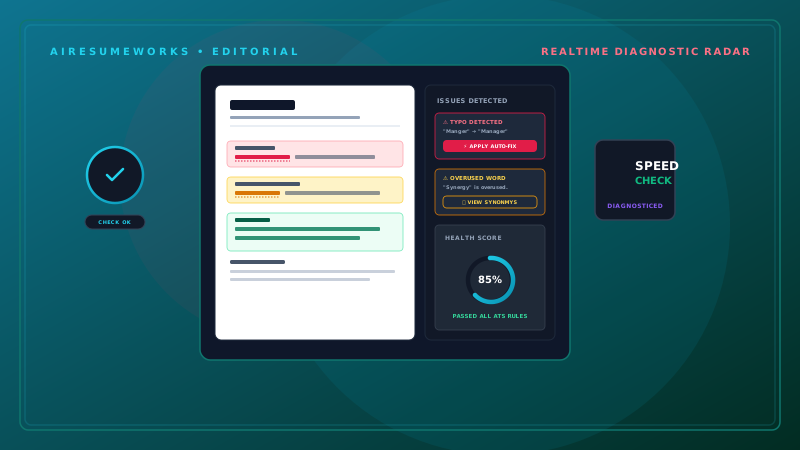
A resume checker is an online tool that analyzes your resume and identifies potential problems that could affect its quality, readability, or relevance to a job.
Some resume checkers focus on spelling and grammar. Others analyze keywords, formatting, applicant tracking system (ATS) compatibility, job-description matching, or the overall strength of your resume.
Free resume checkers can be useful because they provide another way to review your resume before submitting a job application. However, their recommendations should be treated as guidance rather than absolute rules.
A good resume checker can help you find problems you overlooked, but you should still review the final resume yourself.
What Is a Resume Checker?
A resume checker is an online service that reviews your resume and provides feedback. Depending on the tool, it may analyze:
Resume formatting
Spelling and grammar
Keywords
Skills
Work experience
Resume sections
Job-description matching
ATS compatibility
Resume length
Writing quality
Some tools provide a simple list of problems, while others provide a score and detailed recommendations. The features available for free can vary significantly between services.
What Can a Free Resume Checker Do?
A free resume checker may help identify issues such as:
- Missing sections
- Weak wording
- Missing keywords
- Formatting concerns
- Spelling mistakes
- Grammar problems
- Poor job-description matching
- Skills that are not clearly emphasized
Some services also allow you to compare your resume with a specific job description. This can be particularly useful when you are preparing an application for a competitive position.
Start With Your Existing Resume
You do not need to create a new resume before using a checker. Start with the resume you already have. Make sure the basic information is accurate:
Name
Phone number
Email address
Job titles
Company names
Employment dates
Education
Skills
Certifications
Then use the checker to identify potential weaknesses. This is usually more useful than trying to build your resume entirely around a tool's scoring system.
Check Your Resume for Spelling and Grammar
Basic writing errors can make a resume look less professional. A resume checker may identify:
- Spelling mistakes
- Grammar problems
- Incorrect punctuation
- Repeated words
- Awkward sentences
For example:
Managed customer account and prepare weekly reports. could be corrected to:
Managed customer accounts and prepared weekly reports. Always review suggested corrections yourself. Automated tools can misunderstand context and occasionally recommend changes that are not appropriate.
Check Your Resume for Keywords
Many resume checkers analyze keywords. This can be particularly useful when you are applying for a specific job. Suppose the job description mentions:
- Customer service
- Salesforce
- Account management
- Microsoft Excel
If you genuinely have those qualifications but your resume does not clearly mention them, a resume checker may identify a potential gap. You can then revise the resume to make those qualifications clearer.
Compare Your Resume With the Job Description
A job-specific resume checker can be more useful than one that simply evaluates your resume in isolation. The process generally works like this:
Your Resume + Job Description → Analysis → Recommendations
The tool may identify:
- Matching skills
- Missing keywords
- Relevant experience
- Job requirements
- Potential weaknesses
This can help you tailor your resume before submitting your application.
Don't Add Skills You Don't Have
A resume checker may identify a skill that appears in the job description but is missing from your resume. That does not mean you should automatically add it.
For example, suppose a job requires:
Salesforce experience. If you have never used Salesforce, you should not add Salesforce to your resume simply because a checker recommends it. If you have used Salesforce but forgot to mention it, adding the skill would be appropriate.
The difference is important. Resume optimization should improve the presentation of your real qualifications, not create qualifications you do not possess.
Look for ATS-Related Problems
Some resume checkers evaluate whether your document is likely to be readable by applicant tracking systems. Potential concerns can include:
- Complicated layouts
- Unusual section headings
- Excessive graphics
- Difficult-to-read formatting
- Multiple columns
- Important information inside images
A simple resume structure is often easier for both software and people to understand. However, no free resume checker can guarantee that your resume will be processed perfectly by every employer's ATS.
Different systems can use different configurations.
Review the Resume Structure
A resume checker may identify missing or unusual sections. Common sections include:
Professional Summary
Work Experience
Skills
Education
Certifications
Projects
Volunteer Experience
You do not need to include every possible section. For example, if you have never earned a certification, there is no reason to create a Certifications section simply because a tool suggests one.
Your resume should reflect your actual background.
Check Your Work Experience
Your work experience section should communicate more than job titles and basic duties. Review your bullet points for:
- Strong action verbs
- Specific responsibilities
- Relevant skills
- Accomplishments
- Measurable results
Compare:
Responsible for customer service. with:
Assisted customers with account questions, resolved service issues, and maintained accurate customer records. The second example provides much more information.
A resume checker may identify weak or repetitive wording, but you should use your own knowledge of the job to determine what the bullet points should actually say.
Look for Quantifiable Accomplishments
Numbers can provide useful context. For example:
Trained 10 new employees on company procedures. is more specific than:
Trained new employees. Other useful measurements can include:
- Number of customers
- Team size
- Sales
- Revenue
- Projects
- Time saved
- Percentage improvements
- Production volume
Only use numbers that are accurate. Never invent statistics to improve a resume score.
Review Your Skills Section
A resume checker may tell you that your skills section is too short, too long, or missing certain keywords. Review the recommendations carefully. Your skills section should contain abilities that are:
- Relevant
- Accurate
- Specific
- Supported by your experience
For example:
Skills
- Microsoft Excel
- Salesforce
- Customer Service
- Account Management
- Data Entry
- Conflict Resolution
This is generally more useful than a long list of vague terms.
Check Your Resume Length
Some resume checkers provide recommendations about length. However, there is no universal resume length that applies to every candidate. The appropriate length depends on:
- Career experience
- Industry
- Job requirements
- Relevant accomplishments
Someone entering the workforce may need considerably less information than someone with 15 years of relevant experience. Do not remove important accomplishments simply to satisfy a particular score.
Focus on relevance and clarity.
Review Your Formatting
Formatting problems can make a resume difficult to read. Check for:
- Consistent fonts
- Consistent spacing
- Clear headings
- Proper alignment
- Readable text
- Consistent bullet points
- Logical section order
Your resume does not need an elaborate design. A clean, professional layout is often more effective than a heavily decorated one.
Check Your Contact Information
Your contact information should be accurate and easy to find. Verify:
- Phone number
- Email address
- City and state
- LinkedIn URL
- Portfolio URL, if applicable
Click your professional links to make sure they work. A broken LinkedIn or portfolio link can prevent an employer from accessing information you intended to share.
Don't Obsess Over the Score
Some resume checkers provide a score such as:
82/100
or:
Resume Rating: Good It can be tempting to keep making changes until you achieve the highest possible score. That is not necessarily a good strategy. A score is only meaningful within the scoring system used by that particular service.
One tool might rate your resume highly while another identifies different weaknesses. Use the score as a general indicator rather than a guarantee of success.
Read the Recommendations Behind the Score
The explanation behind a score is usually more valuable than the score itself. For example, a tool might tell you:
Your resume is missing a required skill Your summary is too general Your experience bullets lack detail Your formatting could be simplified Your resume does not sufficiently match the job description
Those recommendations give you something specific to evaluate. If the recommendation is accurate and useful, make the change. If it does not apply to your situation, you do not have to follow it.
Use More Than One Type of Check
Different tools may focus on different aspects of a resume. For example:
Grammar checker
Looks primarily at writing errors.
ATS checker
Focuses on formatting and application-system compatibility.
Keyword checker
Looks for relevant terminology.
Resume grader
May provide an overall score and broader feedback. You do not necessarily need to use multiple services for every application. The important point is understanding what the tool is actually checking.
Free Does Not Always Mean Full Access
Some resume checkers advertise free analysis but reserve certain features for paid users. A free version might allow you to:
- Upload a resume
- Receive a basic score
- Identify a few problems
while charging for:
- Detailed reports
- Full keyword analysis
- Advanced ATS analysis
- Unlimited checks
- Job-specific comparisons
- AI rewriting
Before relying on a service, check what its free version actually includes.
Protect Your Personal Information
Uploading a resume to an online service means sharing personal and professional information with that service. Your resume may contain:
Name
Phone number
Email address
Employment history
Education
Certifications
Before uploading it, review the service's privacy policy. Pay attention to information about:
- Data storage
- Uploaded documents
- Personal information
- Third-party services
- Data retention
Choose services whose privacy practices you understand and are comfortable with.
Use AI Resume Checkers Carefully
AI-powered resume checkers can provide more detailed feedback than basic automated checkers. They may analyze:
Writing
Keywords
Job-description matching
Skills
Accomplishments
Structure
ATS compatibility
AI can also suggest rewritten bullet points or professional summaries. These suggestions can be useful, but they should always be reviewed. AI does not know your professional history as well as you do.
Check AI-Generated Rewrites
Suppose an AI resume checker changes:
Helped customers with billing questions. to:
Managed complex customer billing operations and optimized account resolution processes. That sounds more impressive, but it may not accurately describe your role.
If you simply answered customer questions, the rewritten version could exaggerate your responsibilities. Never accept AI-generated resume content simply because it sounds more professional.
Accuracy is more important than impressive wording.
Review Your Resume Against the Actual Job
After making changes, read the job description again. Ask:
Does my resume address the required skills? Are my most relevant qualifications easy to find? Are my accomplishments clear? Did I include relevant terminology? Did I remove irrelevant information? Does the resume accurately represent my experience?
This final review is important because an automated tool may identify individual issues without understanding the entire application.
Example Resume Checker Process
A simple process can look like this:
Step 1: Create your resume. Step 2: Find the job description. Step 3: Compare your experience with the requirements. Step 4: Run the resume through a free checker.
Step 5: Review the feedback. Step 6: Correct genuine problems. Step 7: Add relevant keywords you actually possess. Step 8: Improve weak bullet points.
Step 9: Check formatting. Step 10: Read the final resume yourself. This provides multiple layers of review without allowing the tool to take control of the entire process.
- Common Resume Checker Mistakes
- Trying to Get a Perfect Score
A higher score does not guarantee a better application.
Adding Every Suggested Keyword
Only include keywords that accurately describe your qualifications.
Accepting Every AI Rewrite
AI can make statements sound better while making them less accurate.
Ignoring the Human Reader
A resume must still be easy and interesting for recruiters to read.
Uploading Your Resume Without Checking Privacy
Understand how an online service handles your information.
Removing Useful Information to Meet a Length Recommendation
Relevance matters more than arbitrary limits.
When Should You Use a Free Resume Checker?
A resume checker can be particularly useful when:
- You have finished a new resume
- You are applying for an important position
- You are changing careers
- You are not receiving interviews
- You want to check ATS compatibility
- You want to identify missing keywords
- You want another review before applying
It can be less useful to repeatedly check the same resume without making meaningful changes. The purpose of the tool is to help you identify opportunities for improvement.
A Resume Checker Is a Second Opinion
Think of a resume checker as another set of eyes. It can identify things you may have overlooked, such as a missing keyword, unclear wording, or formatting issue.
But it does not know everything about your career. You know:
- What you actually did
- Which accomplishments are accurate
- Which skills you possess
- Which experiences are most important
- Which career direction you want to pursue
Use the tool to support those decisions rather than replacing them. Build a Better Resume, Not Just a Higher Score The purpose of checking your resume is to improve the document.
A strong resume should be:
Accurate Relevant Easy to read Professionally formatted Tailored to the position Supported by specific accomplishments Appropriate for both human readers and application systems
Free resume checkers can make the review process easier and help identify potential weaknesses before you submit an application. Use them to find problems, evaluate keywords, check formatting, and compare your qualifications with the job description. Then make thoughtful changes based on your actual experience.
The best result is not a perfect automated score. It is a resume that clearly communicates your real qualifications and makes it easy for an employer to understand why you are a strong candidate for the position.