Best Resume Builder Websites: Features to Look For
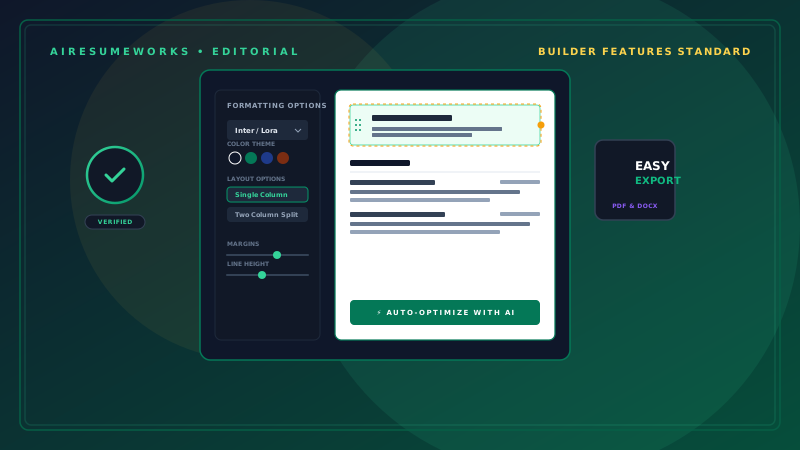
A resume builder website can make it much easier to create a professional resume without starting with a blank document. Instead of manually setting margins, formatting headings, adjusting spacing, and deciding where each section should go, a resume builder typically provides a structured process for entering your information and turning it into a formatted resume.
However, resume builders vary considerably. Some are simple document creators, while others include AI writing, ATS analysis, job matching, cover letter tools, and other features.
The best resume builder website is not necessarily the one with the most features. It is the one that provides the features you actually need while producing a professional, readable resume.
What Is a Resume Builder Website?
A resume builder website is an online service that helps users create resumes through a web browser. Most resume builders allow you to enter information such as:
Name and contact information
Professional summary
Work experience
Education
Skills
Certifications
Projects
Awards
The service then places that information into a selected resume format or template. Some builders also provide suggestions for writing and improving your content.
Others offer additional features such as AI-powered writing assistance, resume scoring, ATS analysis, and job-specific optimization.
Look for an Easy-to-Use Interface
One of the first things to consider is how easy the website is to use. A good resume builder should make the process straightforward. You should be able to:
Create an account or begin building a resume. Enter your professional information. Add or remove sections. Rearrange sections when necessary. Select an appropriate design. Review the completed resume. Export or download the finished document.
If the interface is confusing, slow, or overloaded with unnecessary options, building a resume can take longer instead of saving time.
Check the Available Templates
Templates are one of the main reasons people choose resume builders. A good service should offer several professional layouts rather than relying on one design.
Look for templates with:
- Clear section headings
- Consistent spacing
- Readable fonts
- Logical organization
- Appropriate use of white space
- Professional appearance
Do not choose a template simply because it looks impressive. A resume should be easy to read and should make important information easy to find. For many jobs, a simple professional layout is a better choice than a highly decorative design.
Consider ATS Compatibility
Applicant tracking systems, commonly called ATS, are used by many employers to organize and process job applications. An ATS may extract information from a resume and identify relevant qualifications and keywords.
A resume builder that emphasizes ATS-friendly formatting can be useful, particularly if you frequently apply through online job portals. Look for builders that support:
Standard section headings Readable text Logical formatting Simple layouts Relevant keywords Text-based content rather than important information embedded in graphics
ATS compatibility should not be treated as a guarantee that your resume will pass an employer's screening process. The actual results depend on the employer's software, job requirements, resume content, and other factors.
Look for AI Writing Assistance
Some resume builder websites now include AI features. These may help with:
Professional summaries
Work experience descriptions
Resume bullet points
Skills
Job-specific tailoring
Keyword suggestions
AI writing assistance can be particularly helpful when you know what you did in a job but have difficulty describing it professionally. For example, you might enter a basic description of your responsibility and ask the tool to make it more concise and accomplishment-focused.
Always review the result before using it. AI should not be allowed to invent accomplishments, responsibilities, certifications, or skills.
Resume Tailoring Can Be Valuable
A strong resume for one job may not be the best resume for another. A resume builder with tailoring features can help you adjust your resume for specific positions.
You may be able to provide the job description and have the tool identify:
- Important keywords
- Required skills
- Relevant qualifications
- Areas of your resume that may need improvement
This can make the tailoring process faster. However, the final resume should still reflect your actual experience. Do not add qualifications simply because they appear in a job advertisement.
Check for Resume Scoring
Some resume builders provide a score or rating after analyzing your resume. A score might evaluate areas such as:
Keywords
Formatting
Completeness
Skills
Job-description matching
ATS compatibility
A score can be useful as a diagnostic tool, but it should not be treated as an objective measure of whether an employer will hire you. For example, a resume could receive a high score from a particular service and still be poorly matched to a specific employer.
Use scoring as feedback rather than as a guarantee.
See Whether You Can Import an Existing Resume
If you already have a resume, starting completely from scratch may be unnecessary. Some resume builder websites allow you to upload an existing resume and then edit or rebuild it within their platform.
This can save time. Before using an import feature, check whether the formatting transfers correctly. Important information should not disappear or become rearranged incorrectly during the conversion process.
Always review the imported resume carefully.
Check the Download Options
The ability to create a resume is not the only thing that matters. You also need to know how you can use the finished document. Common export options may include:
- Microsoft Word
- Plain text
- Other document formats
PDF is commonly useful when an employer requests a finished resume that should preserve its formatting. Word documents can also be useful when an employer specifically requests them or when you need to make additional edits.
Check the builder's available export options before spending significant time creating your resume. Pay Attention to Free vs. Paid Features One of the most important things to check is what the service actually allows you to do for free.
A resume builder may advertise free resume creation but charge for certain features. For example, you may be able to:
- Build the resume for free
- Select a template
- Enter your information
- Preview the finished document
but need to pay to:
- Download the resume
- Remove a watermark
- Access premium templates
- Use advanced AI features
- Create additional versions
- Export in certain formats
Always check the pricing and free-plan limitations before committing your time.
Look for Cover Letter Features
Some resume builders also provide cover letter tools. This can be convenient because your resume and cover letter can use matching formatting. Depending on the service, you may be able to create a cover letter from:
- Your resume
- A job description
- A selected template
- AI-generated content
A cover letter feature is useful if you regularly submit applications that require one. It is not necessary if you rarely use cover letters.
Check Whether You Can Create Multiple Versions
Job seekers often apply for different types of positions. For example, someone with experience in both customer service and office administration may need to emphasize different qualifications depending on the job.
A useful resume builder should make it reasonably easy to maintain multiple versions. You might have:
- Customer Service Resume
- Administrative Resume
- Management Resume
- General Resume
Maintaining different versions can make job applications faster while allowing each resume to focus on the most relevant qualifications.
Review Privacy and Data Practices
Your resume contains personal and professional information, so privacy should be considered before uploading it to an online service. A resume may contain:
Name
Email address
Phone number
Employment history
Education
Professional qualifications
Read the website's privacy policy to understand how your information is collected, stored, and used. Pay particular attention to information about uploaded documents and whether data may be used for additional purposes.
You should be comfortable with a service's data practices before submitting sensitive information.
Consider Mobile Access
Many online resume builders work primarily through a desktop browser, but mobile access can still be useful. If you expect to edit your resume from a phone or tablet, check whether the website is responsive and easy to use on smaller screens.
At minimum, the finished resume should be easy to preview on different devices.
Look for Customization Without Complexity
A good resume builder should give you enough control to make the resume your own. Useful customization options can include:
- Font selection
- Font size
- Section spacing
- Section order
- Margins
- Color choices
- Template selection
However, unlimited customization is not necessarily better. If a builder gives you hundreds of design choices, it can become difficult to determine which combination actually looks professional.
The best tools generally provide enough flexibility without making the process unnecessarily complicated.
Compare Resume Builder Websites by Features
When comparing different services, consider creating a simple checklist. Feature Why It Matters Professional templates Provides a starting design ATS-friendly formatting Helps keep information readable by application systems AI writing Helps improve resume content Job tailoring Helps customize resumes for specific positions Resume scoring Provides feedback on potential weaknesses Existing resume import Saves time when rebuilding a resume PDF export Useful for submitting finished resumes Word export Useful for additional editing Cover letter tools Helps create matching application documents Multiple resumes Useful when applying to different types of jobs Free plan Allows you to test the service Privacy information Helps you understand how your data is handled
Not every feature is equally important. Someone who already has strong resume content may care more about formatting and export options than AI writing.
Someone starting from scratch may place greater value on AI assistance.
Don't Choose a Builder Based Only on Appearance
A beautiful template can make a resume look impressive, but appearance is only one part of the decision. Before choosing a design, ask:
Can employers quickly find my experience? Are the section headings clear? Is the text easy to read? Does the layout work well on the page? Can an ATS interpret the information? Does the design fit my industry? Does the template leave enough space for my experience?
A resume should look professional without allowing design elements to overpower the content.
Test the Finished Resume
Before sending your resume to an employer, inspect the final document carefully. Check:
- Spelling
- Grammar
- Dates
- Job titles
- Company names
- Contact information
- Page breaks
- Spacing
- Font consistency
- Section order
- Formatting
- Links
Open the exported file rather than assuming the downloaded version looks exactly like the editor's preview. A formatting problem that appears only after export can affect the final document.
Choose the Builder That Fits Your Needs
There is no single resume builder website that is automatically the best choice for everyone. If you need help writing content, prioritize AI writing assistance.
If you already have excellent content, focus on templates, formatting, and export options. If you apply for many online jobs, ATS-related features may be important.
If you apply for different types of positions, look for easy resume duplication and customization. If your budget is limited, pay close attention to what is genuinely available without a subscription.
A resume builder is a tool, not a substitute for good career information. The software can help organize your experience, improve wording, and create a professional layout, but the underlying information still needs to be accurate and relevant.
The best resume builder website is ultimately the one that helps you create a clear, professional, job-specific resume without making the process unnecessarily complicated or expensive.