How to Build a Resume From LinkedIn: Step-by-Step Guide
How to Build a Resume From LinkedIn: Step-by-Step Guide
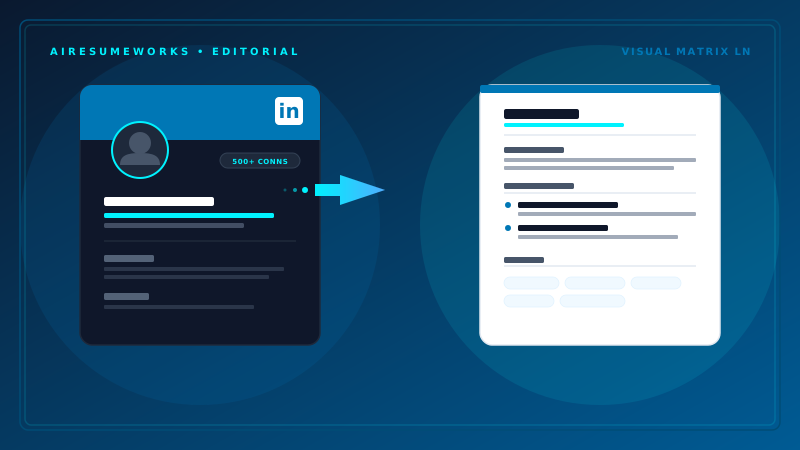
If your LinkedIn profile already contains your work history, education, skills, and other professional information, you may be able to use it as a starting point for creating a resume.
Building a resume from LinkedIn can save time, but a LinkedIn profile and a resume are not exactly the same thing. Your LinkedIn profile can contain more information and a broader professional history, while a resume should be focused on the specific job you are applying for.
The key is to use LinkedIn as a source of information rather than simply copying everything from your profile.
Can You Create a Resume From LinkedIn?
Yes. LinkedIn provides information that can be useful when creating a resume, including:
Your current and previous positions
Company names
Employment dates
Job descriptions
Education
Skills
Certifications
Professional summary
Accomplishments
Depending on the information in your profile, much of the basic content needed for a resume may already be available. However, you should review everything before using it.
Your LinkedIn profile may contain outdated information, lengthy descriptions, or details that are not relevant to the job you want. Step 1: Review Your LinkedIn Profile
Before creating the resume, review your entire LinkedIn profile. Check your:
Name
Location
Contact information
Headline
About section
Work experience
Education
Skills
Certifications
Awards
Projects
Make sure the information is accurate. Pay particular attention to employment dates and job titles. Inconsistent dates or incorrect job information can create problems when an employer compares your resume with your LinkedIn profile.
If your LinkedIn profile is outdated, update it before using it as the basis for your resume. Step 2: Decide Which Experience to Include You do not necessarily need to include every position listed on LinkedIn.
Review your previous jobs and determine which ones are most relevant to your current career goal. For example, if you are applying for an administrative position, experience involving office management, scheduling, customer service, data entry, or organization may be more relevant than an unrelated position from many years ago.
Your resume should be focused. LinkedIn can contain your broader professional history, while your resume should emphasize the experience that supports the position you are seeking.
Step 3: Collect Your Employment Information For each position you plan to include, collect the basic information:
- Job title
- Company name
- Location
- Start date
- End date
- Responsibilities
- Accomplishments
LinkedIn can provide much of this information, but review the wording carefully. Job descriptions on LinkedIn are often written as general descriptions of your responsibilities. A resume should focus more directly on your contributions and accomplishments.
For example, a LinkedIn description might say:
Managed customer inquiries and assisted clients with account questions. Your resume could present the same experience more concisely:
Assisted customers with account questions, service issues, and general inquiries. The goal is not to change the facts. It is to present them in a resume-friendly format.
Step 4: Rewrite Your LinkedIn About Section Your LinkedIn About section can provide useful material for a resume summary, but it should not necessarily be copied word for word.
A LinkedIn profile may use a broader description of your professional background. A resume summary should be more focused on the position you are applying for.
For example, if your LinkedIn profile discusses customer service, sales, training, and management experience, you might select the areas most relevant to your target position for the resume.
Keep the summary concise and make sure it communicates your most important qualifications. Step 5: Turn Responsibilities Into Resume Bullet Points One of the most important steps is converting your experience into concise resume bullet points.
Start with the information already contained in your LinkedIn profile. Then identify:
- What you did
- How you did it
- What you improved
- What you managed
- What results you achieved
Whenever possible, include measurable accomplishments. For example:
Basic description:
Managed inventory for the store. Stronger resume bullet:
Managed daily inventory operations and helped maintain accurate stock levels. If you have specific numbers, include them when they accurately represent your work.
Examples might include:
- Managed a team of 12 employees
- Processed 100+ customer orders per week
- Reduced processing time by 20%
- Increased sales by 15%
Specific results can make your experience easier for an employer to understand. Step 6: Choose the Right Resume Format Once you have collected your information, choose a resume format.
The reverse chronological format is commonly used and works well for people with a relatively consistent career history. It lists your most recent position first and then works backward.
A functional resume focuses more heavily on skills and qualifications and may be considered by people with limited experience or significant career gaps.
A combination resume combines elements of both approaches. For many job seekers, a clean reverse chronological resume is a practical starting point. Step 7: Add Your Skills
LinkedIn's Skills section can help you identify skills to consider including on your resume. However, do not simply copy your entire LinkedIn skills list.
Review the job description for the position you want. Identify skills that:
- You actually possess
- Are relevant to the position
- Appear in the job description
- Are supported by your experience
For example, if the job requires Microsoft Excel and you have experience using Excel, make sure that skill is clearly visible on your resume. Do not add skills simply because they appear in the job description if you do not actually have them.
Step 8: Review Your Education and Certifications LinkedIn can also provide the basic information for your education section. Check:
- School name
- Degree
- Field of study
- Graduation information
- Certifications
- Professional training
Only include information that is accurate. If you have substantial professional experience, your education section may not need to be as detailed as it would be for a recent graduate.
Step 9: Tailor the Resume to the Job This is where a LinkedIn-based resume should become different from your LinkedIn profile. Do not send the same resume to every employer without reviewing it first.
Read the job description and identify the employer's most important requirements. Then adjust your resume to emphasize relevant:
Experience
Skills
Accomplishments
Keywords
Certifications
Qualifications
For example, you may have experience in both sales and customer service. For a sales position, emphasize sales results, customer relationships, lead generation, and revenue.
For a customer service position, emphasize problem-solving, customer support, communication, and service quality. The underlying experience remains the same, but the resume emphasizes different aspects of it.
Step 10: Check the Resume for ATS Compatibility Many employers use Applicant Tracking Systems to process applications. An ATS may scan your resume for relevant keywords and information before the resume reaches a hiring manager.
When building a resume from LinkedIn, make sure the finished document uses a straightforward format. Use:
- Clear section headings
- Readable fonts
- Standard resume terminology
- Relevant keywords
- Simple formatting
Avoid unnecessarily complicated layouts, excessive graphics, or decorative elements that may make the information harder to interpret.
Can LinkedIn Automatically Create a Resume?
LinkedIn has offered features that can help users create or access resume-related information, but the exact tools and options available can change over time.
If a resume-related feature is available in your LinkedIn account, it can be useful as a starting point. However, automatically generated content should still be reviewed carefully.
Do not assume that an automatically created resume is ready to send to an employer. Check the wording, formatting, relevance, dates, and accomplishments before submitting it.
Using AI to Build a Resume From LinkedIn
AI can also help turn information from your LinkedIn profile into resume content. For example, you can use your existing work history as source material and ask an AI resume tool to help:
- Organize your experience
- Rewrite bullet points
- Improve your professional summary
- Identify relevant keywords
- Match your resume to a job description
- Find areas that need improvement
The information provided to the AI tool should be accurate. AI should help organize and improve your information rather than create qualifications that are not part of your actual background.
Always review the finished resume before using it in a job application. LinkedIn Profile vs. Resume Your LinkedIn profile and resume can contain similar information, but they serve different purposes.
LinkedIn Profile Resume Broader professional profile Focused job application document Can contain more information Usually more concise Designed for networking and visibility Designed for a specific job opportunity May include extensive career history Emphasizes relevant experience Can be updated continuously Tailored for individual applications
Because of these differences, copying your entire LinkedIn profile into a resume is usually not the best approach. Use LinkedIn as a starting point, then create a focused resume from the information that is most relevant.
Before You Submit the Resume
After creating your resume from LinkedIn, perform a final review. Check that:
Your name is correct Contact information is current Employment dates are accurate Job titles are correct Company names are spelled correctly Relevant skills are included Accomplishments are clearly described Keywords match the position where appropriate Formatting is consistent There are no spelling or grammar errors The resume is an appropriate length The LinkedIn profile and resume do not contain conflicting information
Open the final PDF and review it as an employer would see it. Make sure the formatting looks correct, page breaks are clean, and no information has been accidentally removed or rearranged.
Using LinkedIn as the starting point for a resume can save considerable time because much of your professional information may already be organized there. The important step is turning that information into a focused document that highlights the experience, skills, and accomplishments most relevant to the job you want.