How to Create a Resume Website: What to Include
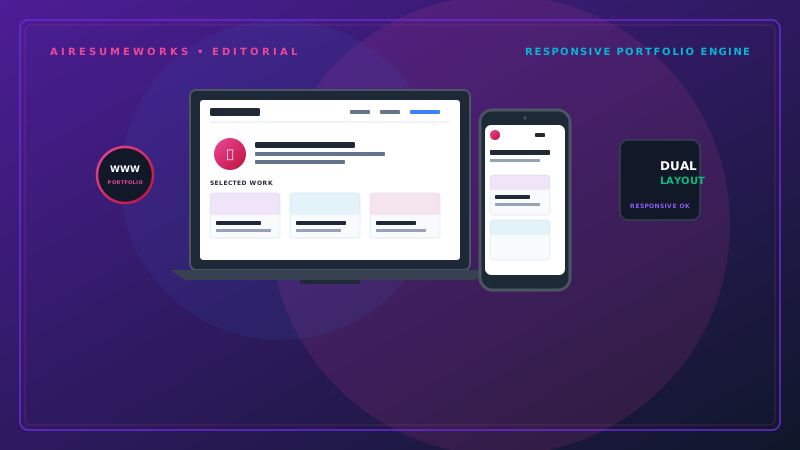
A resume website can give employers a more complete picture of your professional background than a traditional one- or two-page resume. Instead of presenting your experience on a single document, a personal website gives you additional space to showcase your skills, projects, accomplishments, work samples, and professional information.
A resume website can be especially useful for professionals whose work can be demonstrated online. Designers, developers, writers, photographers, marketers, consultants, freelancers, and other professionals can use a website to show what they can actually do rather than relying entirely on written descriptions.
However, a resume website should not simply be a digital copy of your resume. It should expand on your qualifications while remaining easy for employers to navigate.
What Is a Resume Website?
A resume website is a personal professional website designed to present your career information online. Depending on your profession, it may include:
Your professional introduction
Work experience
Skills
Education
Certifications
Projects
Portfolio samples
Accomplishments
Contact information
Links to professional profiles
The website can function as an online professional presence that employers, clients, recruiters, and other professional contacts can visit. You can also include a downloadable resume if you choose, although the website itself should provide useful information without requiring visitors to download anything.
Start With a Clear Professional Introduction
The homepage should quickly tell visitors who you are and what you do. For example:
- Sarah Williams
- Graphic Designer & Brand Specialist
Then provide a short description of your professional background. Graphic designer specializing in brand identity, digital marketing materials, and visual content for small businesses and growing companies.
The introduction does not need to be lengthy. A visitor should understand your profession and primary area of expertise within a few seconds.
Include Your Professional Experience
Your website can provide more detail about your experience than a traditional resume. For each significant position, consider including:
- Job title
- Company
- Employment dates
- Main responsibilities
- Major accomplishments
- Relevant projects
- Skills used
You do not necessarily need to reproduce every bullet point from your resume. Instead, use the website to provide additional context. For example, a resume might say:
Managed social media campaigns for multiple business clients. Your website could explain the types of campaigns you managed, the platforms involved, the responsibilities you handled, and the results you achieved.
Keep claims accurate and avoid exaggerating accomplishments.
Create a Portfolio Section When Appropriate
For many professions, the portfolio may be the most valuable part of the website. A portfolio can include examples of:
- Websites
- Graphic designs
- Writing
- Photography
- Marketing campaigns
- Software projects
- Presentations
- Illustrations
- Business projects
Each project should provide enough information for visitors to understand what they are looking at. A useful project entry might include:
Website Redesign — Local Business
Role: Web Designer Work completed: Website layout, responsive design, navigation, and contact form. Result: Created a modern responsive website that improved the company's online presentation.
If possible, explain your specific contribution instead of simply showing the finished product.
Show Your Skills
A resume website can include a dedicated skills section. Organize skills into logical categories when you have many of them. For example:
Technical Skills
- HTML
- CSS
- JavaScript
- Responsive Web Design
Design Skills
- Branding
- Layout Design
- Typography
- Digital Graphics
Professional Skills
- Project Management
- Client Communication
- Problem Solving
Avoid rating yourself with graphics such as five-star skill ratings. A statement such as "JavaScript — 95%" can give a false impression of precision and does not necessarily tell an employer how effectively you can use the skill.
Projects and accomplishments often provide better evidence of your abilities.
Include Education and Certifications
Your resume website can include the same educational information found on your resume. You may include:
- Degrees
- Schools
- Graduation dates
- Certifications
- Professional training
- Relevant courses
If you have significant professional experience, you generally do not need to make education the most prominent section of the site. Your experience and portfolio may be more important to employers.
Add Accomplishments
A resume website gives you an opportunity to highlight accomplishments that might not fit comfortably on a traditional resume. Examples include:
- Increased sales
- Improved customer satisfaction
- Reduced costs
- Completed major projects
- Received professional awards
- Managed large teams
- Developed successful programs
- Solved difficult technical problems
Whenever possible, explain the result. Instead of:
Managed a large customer service team. Consider:
Managed a 15-person customer service team responsible for supporting more than 500 customer accounts. Specific information is generally more useful than vague statements.
Consider Adding a Professional About Page
An About page can provide additional context about your career. It might include:
- Your professional background
- Areas of expertise
- Career focus
- Professional interests
- Relevant accomplishments
- What types of opportunities you are interested in
Keep the information professional. A resume website is not necessarily the place for a lengthy personal biography. The purpose is to help visitors understand your professional qualifications.
Include a Contact Section
Make it easy for employers or clients to contact you. A contact section can include:
- Professional email address
- LinkedIn profile
- Contact form
- Professional social media profiles
- Business phone number, when appropriate
Avoid publishing unnecessary personal information. A professional email address is usually sufficient for many job seekers.
Add LinkedIn and Other Professional Profiles
If you maintain an active professional profile, you can link to it from your website. LinkedIn is the most obvious example for many professionals. Other platforms may be appropriate depending on your industry.
For example:
- GitHub for developers
- Behance for designers
- Dribbble for certain creative professionals
- Professional association profiles
- Industry-specific portfolios
Only include profiles that are professional and up to date. A link to an abandoned or incomplete profile can create a poor impression.
Make the Website Easy to Navigate
A resume website does not need dozens of pages. A simple structure might be:
- Home
- Professional introduction and highlights
- About
- Professional background
Experience
Employment history and accomplishments
- Portfolio
- Selected projects and work samples
Skills
Professional and technical abilities
- Resume
- Resume information or downloadable resume
- Contact
- Ways to get in touch
Depending on your profession, some of these sections can be combined. For example, a small personal website could simply use:
Home | Experience | Portfolio | About | Contact
The goal is to make important information easy to find.
Use a Professional Design
The design should support your professional image rather than distract from your qualifications. Good design usually includes:
- Clear typography
- Consistent spacing
- Logical page structure
- Easy-to-read text
- Consistent colors
- High-quality images
- Responsive design
- Simple navigation
Avoid excessive animations, complicated backgrounds, autoplay music, or decorative elements that make the website difficult to use. Your website should look professional on both desktop and mobile devices.
Make Your Website Mobile-Friendly
Many visitors will view your website from a phone. Test the site on different screen sizes to make sure:
Text remains readable Navigation works properly Images scale correctly Buttons are easy to tap Forms work Pages do not require excessive horizontal scrolling
A website that looks excellent on a desktop but breaks on a phone can create a poor first impression.
Keep Your Resume Website Updated
An outdated website can work against you. Update it when you:
- Start a new job
- Complete an important project
- Earn a certification
- Develop a new skill
- Receive an award
- Change your professional focus
- Add new portfolio work
You do not need to redesign the entire site every time something changes. Keeping the information current is more important than constantly changing the design.
Should You Include a Photo?
A professional photo is optional. Whether you include one depends on your industry, location, personal preference, and the purpose of the website. If you use a photograph, make sure it looks professional and fits the overall design.
There is no requirement that a resume website contain a photograph. For many professionals, the quality of the portfolio and professional information matters much more.
Optimize the Website for Search Engines
A resume website can also appear in search results when someone searches for your name or professional services. Basic SEO practices include:
- Use a clear page title
- Write descriptive page headings
- Use relevant professional terms naturally
- Create useful page content
- Optimize image file sizes
- Make the website mobile-friendly
- Use descriptive URLs
- Provide meaningful page descriptions
- Keep important information in readable text
Do not fill pages with repetitive keywords. The website should primarily be written for people.
Protect Your Privacy
Think carefully about what personal information you publish publicly. Avoid displaying information such as:
- Home address
- Social Security number
- Personal identification numbers
- Private documents
- Sensitive personal information
A professional email address and appropriate contact method are generally enough. If you use a contact form, make sure you understand how submitted information is stored and handled.
Resume Website vs. Traditional Resume A traditional resume and a resume website serve different purposes. A resume is usually concise and designed specifically for a job application.
A website can provide much more information. Your resume might contain:
Professional summary
Work experience
Skills
Education
Your website could expand this with:
- Detailed project examples
- Portfolio samples
- Accomplishments
- Professional biography
- Certifications
- Additional work samples
- Links to professional profiles
You can therefore use both together. For example, you might submit your resume with a job application and include your website address so the employer can explore your work further.
When a Resume Website Makes the Most Sense
A personal resume website can be particularly valuable if your profession involves work that can be demonstrated. It can be useful for:
- Designers
- Developers
- Writers
- Photographers
- Freelancers
- Marketing professionals
- Consultants
- Entrepreneurs
- Creative professionals
It may be less important for jobs where the hiring process relies primarily on standardized applications and traditional credentials. Even then, having a professional online presence can still be useful.
A resume website should not try to replace your resume. Instead, it should extend your professional presentation beyond the limitations of a single document.
Keep the design clean, make your qualifications easy to find, showcase meaningful work, provide accurate information, and give employers a simple way to contact you. A well-organized website can become a valuable part of your overall job-search strategy.