How to Fix Your Resume: Common Problems and How to Improve It
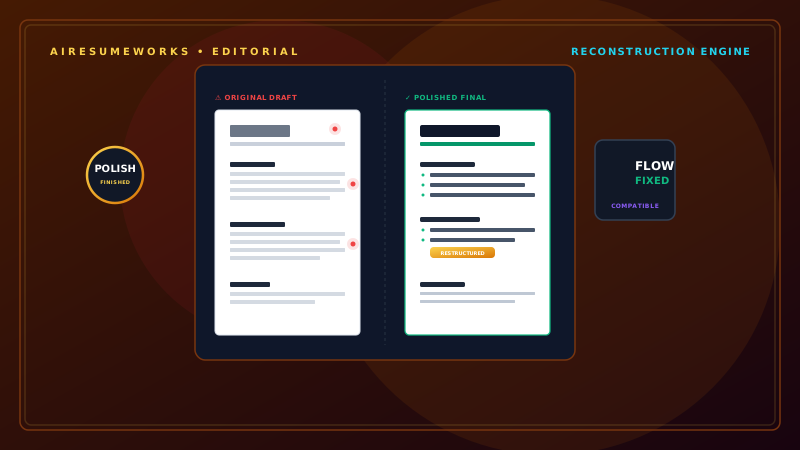
A resume does not have to be completely rewritten every time you discover a problem. In many cases, a few targeted improvements can make a significant difference.
Common resume problems include weak descriptions, outdated information, poor formatting, missing keywords, unnecessary content, and a lack of specific accomplishments. Some resumes also contain too much information, while others do not provide enough detail about the candidate's experience.
The first step is identifying what is actually wrong. Once you know the problem, you can make targeted changes instead of rebuilding the entire resume.
Start With a Resume Review
Before changing anything, read your resume from beginning to end. Look at it from the perspective of an employer who has never met you. Ask:
Is it immediately clear what type of professional I am? Can I quickly understand what I have accomplished? Are my strongest qualifications easy to find? Is the resume relevant to the job? Is anything confusing or repetitive? Does the formatting look professional? Are there errors?
This first review can reveal problems that are not obvious when you focus on individual sections. Problem 1: Your Resume Is Too Generic One of the most common problems is a resume that could belong to almost anyone.
For example:
Hardworking professional with excellent communication skills seeking an opportunity to grow with a successful company. This statement provides very little useful information.
A more specific introduction might be:
Customer service professional with six years of experience managing customer accounts, resolving service issues, and supporting high-volume operations.
The second example immediately tells the employer what the candidate does and what type of experience they have. Problem 2: Your Resume Is Not Tailored to the Job
Using exactly the same resume for every application can make your qualifications less relevant. Read the job description and identify:
- Required skills
- Preferred skills
- Job responsibilities
- Software
- Certifications
- Industry terminology
Then compare those requirements with your resume. If you have relevant experience, make sure it is clearly represented. For example, if the employer emphasizes project coordination and you have coordinated projects, make that experience visible rather than leaving it buried in a generic description.
Problem 3: Your Work Experience Bullets Are Weak Many resumes describe responsibilities without explaining the candidate's contribution. For example:
Responsible for customer service. This is vague. A stronger version could be:
Assisted customers with account questions, resolved service issues, and maintained accurate customer records. You can make it even stronger when you have measurable information:
Assisted 40–60 customers daily with account questions and service issues while maintaining accurate customer records. Specific details help employers understand the scope of your work.
Problem 4: Your Resume Uses Too Many "Responsible For" Statements Repeated phrases such as:
- Responsible for
- Duties included
- Worked on
- Helped with
can make a resume sound passive. Instead, begin bullets with action verbs. Examples:
- Managed
- Coordinated
- Created
- Developed
- Prepared
- Resolved
- Improved
- Organized
- Analyzed
- Trained
- Maintained
For example:
Weak:
Responsible for preparing weekly reports. Better:
Prepared weekly performance reports for management. The second version is more direct. Problem 5: Your Resume Lacks Accomplishments A resume that only describes duties may not show what makes you different from other applicants.
Look for opportunities to describe results. Instead of:
Managed employee schedules. Consider:
Coordinated schedules for a 15-person team and adjusted assignments to maintain daily staffing coverage. Instead of:
Worked with customers. Consider:
Resolved customer account issues and maintained accurate records while handling a high volume of daily inquiries. Accomplishments do not always have to involve dramatic increases in sales or major awards.
Improvements in efficiency, organization, customer service, accuracy, and productivity can also be valuable. Problem 6: Your Resume Is Missing Numbers
Numbers can provide useful context. Consider whether you can accurately include:
- Team size
- Customer volume
- Sales figures
- Number of projects
- Revenue
- Time saved
- Percentage improvements
- Production volume
For example:
Trained 10 new employees on company procedures. is more informative than:
Trained new employees. Never invent numbers. If you do not know an exact figure, use an accurate description instead. Problem 7: Your Skills Section Is Too Long
A skills section containing dozens of unrelated skills can make your resume look unfocused. Instead of listing everything you know, select skills that are relevant to the position.
For example:
KEY SKILLS
- Customer Service
- Account Management
- Salesforce
- Microsoft Excel
- Data Entry
- Conflict Resolution
- Team Training
A focused list is easier to scan. Problem 8: Your Skills Section Is Too Vague Some resumes use terms such as:
- Computer skills
- Communication
- Technology
- Marketing
- Management
These terms may be too broad to provide much useful information. Whenever possible, be specific. Instead of:
Computer skills
use:
- Microsoft Excel
- Microsoft Word
- Google Workspace
- Salesforce
Instead of:
Marketing
use relevant skills such as:
- Email Marketing
- Content Marketing
- Search Engine Optimization
- Social Media Marketing
Only include skills you actually possess. Problem 9: Important Keywords Are Missing Compare your resume with the job description. If the employer specifically requests a qualification that you genuinely have, make sure your resume communicates it clearly.
For example, if the job description says:
Experience with Microsoft Excel required. and you have used Excel professionally, include "Microsoft Excel" rather than only saying "spreadsheet software."
The same principle applies to:
- Software
- Certifications
- Technical skills
- Industry terminology
- Professional skills
Do not add keywords that do not accurately describe your experience. Problem 10: Your Resume Contains Too Much Information More information does not automatically create a stronger resume.
Remove information that is:
- Irrelevant
- Repetitive
- Outdated
- Excessively detailed
- Unrelated to your target position
For example, if you have 15 years of experience, you may not need several paragraphs describing every responsibility from an early job that has little connection to the position you want today.
Focus on the information that helps support your current career goal. Problem 11: Your Resume Contains Too Little Information The opposite problem is also common.
A resume might say:
Sales Representative — ABC Company
• Sold products. That does not provide enough information. Consider expanding it:
• Assisted customers with product selection and supported daily sales goals through product recommendations and customer service. Then add measurable information when available.
The goal is not to write long paragraphs. It is to provide enough information to understand your contribution. Problem 12: Your Resume Has a Complicated Design
A highly decorative resume may look attractive but can sometimes make information harder to read. Potential problems include:
- Excessive graphics
- Multiple columns
- Skill bars
- Large icons
- Unusual fonts
- Complex layouts
- Important information embedded in images
For many jobs, a clean and straightforward design is safer. Your resume can still look professional without becoming visually complicated. Problem 13: Your Resume Is Difficult for an ATS to Read
Applicant tracking systems can process resumes submitted through online application systems. To make your resume easier to interpret:
Use standard section headings Use readable fonts Keep the layout logical Use normal text Include relevant keywords Avoid putting important information inside graphics Avoid unnecessary formatting complexity
There is no universal ATS format that guarantees success with every employer. The safest approach is to make the resume easy for both software and people to understand.
Problem 14: Your Contact Information Is Wrong A simple error in your contact information can prevent an employer from reaching you. Check:
- Phone number
- Email address
- City and state
- LinkedIn URL
- Portfolio URL
Make sure links work. If your phone number or email address is incorrect, even a strong resume may not produce an opportunity. Problem 15: Your Email Address Looks Unprofessional
Your email address is part of your professional presentation. An address based on your name is generally a safe choice. For example:
john.smith@email.com is more professional than an address containing a nickname, joke, or unrelated phrase. If your current email address does not look professional, creating a separate professional email account can be a simple solution.
Problem 16: Your Resume Has Inconsistent Formatting Look for differences in:
- Font sizes
- Headings
- Dates
- Bullet points
- Spacing
- Job titles
- Company names
For example, if one job uses:
January 2024 – Present
and another uses:
06/2022–12/2023
consider using one consistent format. Consistency makes the document look more polished. Problem 17: Your Resume Contains Spelling or Grammar Errors Even small mistakes can make a resume appear careless.
Check for:
- Spelling
- Grammar
- Punctuation
- Verb tense
- Capitalization
- Company names
- Job titles
Do not rely entirely on spell-checking software. Read the document yourself. It can also help to have another person review it. Problem 18: Your Resume Uses Weak Language
Some phrases do not communicate much value. Examples include:
- Hard worker
- Team player
- People person
- Go-getter
- Highly motivated
- Results-oriented
These phrases are not necessarily wrong, but they are often less useful than specific evidence. Instead of:
Excellent team player. Show it:
Collaborated with a five-person team to complete a customer-service improvement project ahead of schedule. The second statement provides evidence. Problem 19: Your Resume Does Not Show Transferable Skills
Career changers sometimes assume that previous experience is irrelevant. That is not necessarily true. Suppose you are moving from retail management into office administration.
Your retail experience may include:
- Scheduling
- Employee training
- Record keeping
- Customer communication
- Inventory management
- Problem solving
Those abilities may be transferable to administrative work. The key is to explain the experience in a way that makes its relevance clear. Problem 20: Your Resume Is Not Updated
An outdated resume can contain:
- Old contact information
- Outdated skills
- Missing certifications
- Old employment information
- Broken links
- Irrelevant career goals
Review your resume regularly, especially when you:
- Start a new position
- Earn a certification
- Complete a major project
- Develop a new skill
- Change careers
- Begin searching for a different type of job
Keeping a master resume updated makes future applications easier. Problem 21: Your Resume Has an Unclear Professional Direction An employer should generally be able to understand what type of position you are targeting.
If your resume attempts to market you simultaneously as:
- An accountant
- A graphic designer
- A software developer
- A sales manager
it may become difficult to determine which position you actually want. You may have multiple abilities, but each application should emphasize the qualifications relevant to the position.
Problem 22: Your Professional Summary Is Too Long A professional summary should provide a quick overview. It does not need to become a biography. Focus on:
- Professional background
- Years of experience
- Key skills
- Relevant accomplishments
- Career focus
Remove unnecessary personal information and generic statements. Problem 23: Your Resume Uses the Same Bullet Repeatedly Repetition can make a resume feel weak.
For example:
- Managed customers.
- Managed employees.
- Managed inventory.
- Managed reports.
Use more specific action verbs where appropriate:
- Managed customer accounts and resolved service issues.
- Coordinated employee schedules and assignments.
- Maintained inventory records and monitored stock levels.
- Prepared weekly reports for management.
The wording becomes more precise and easier to scan. Problem 24: Your Resume Is Not Easy to Scan Recruiters often review resumes quickly. Make important information easy to find by using:
- Clear headings
- Short bullet points
- Consistent formatting
- Appropriate white space
- Strong section organization
Avoid large blocks of text. A resume should communicate important information quickly. Problem 25: Your Resume Contains Unnecessary Personal Information
A modern resume generally does not need information such as:
- Social Security number
- Date of birth
- Marital status
- Number of children
- Full home address
- Personal information unrelated to the job
Focus on professional qualifications.
Use an Organized Fixing Process
If your resume has several problems, do not try to fix everything randomly. Work through it systematically. Step 1: Fix factual errors. Correct names, dates, job titles, contact information, and other inaccurate information.
Step 2: Improve the structure. Make sure the sections are logically organized. Step 3: Strengthen the introduction. Replace generic wording with a specific summary or objective.
Step 4: Improve work experience. Rewrite weak bullets to describe actual responsibilities and accomplishments. Step 5: Improve the skills section. Remove irrelevant skills and emphasize relevant ones.
Step 6: Compare the resume with the job description. Identify genuine keyword and qualification matches. Step 7: Simplify the formatting. Remove unnecessary design elements.
Step 8: Proofread. Check the entire document carefully. Step 9: Review the final version. Make sure the resume is accurate, relevant, readable, and professional.
Use AI to Help Fix Your Resume
AI can be useful during the revision process. You can provide a resume section and ask for help with:
- Improving clarity
- Removing repetition
- Strengthening bullet points
- Identifying weak wording
- Finding potential keywords
- Tailoring content to a job description
For example, you could provide:
Responsible for answering phones and helping customers. AI could suggest:
Handled high-volume customer inquiries by phone and resolved routine service issues. You should then verify the suggestion against your actual experience.
AI should improve your wording, not create information that is not true.
Use a Resume Checker for a Second Review
After making your own improvements, an online resume checker can provide another perspective. It may identify:
- Missing keywords
- Formatting concerns
- Grammar problems
- Weak sections
- Job-description mismatches
Use the recommendations selectively. A resume checker does not know your career as well as you do, and different services may use different evaluation methods.
Read the Resume as an Employer
After making your revisions, imagine that you are seeing the resume for the first time. Ask:
What job does this person want?
What are their strongest skills?
What have they accomplished?
Why are they qualified for this position?
Can I quickly find the information I need?
If those questions are difficult to answer, the resume may need additional revision.
Keep a Master Resume
One of the easiest ways to make future resume revisions faster is to maintain a complete master resume. Keep all of your:
Work experience
Accomplishments
Skills
Certifications
Education
Projects
Volunteer experience
in one document. Then create a targeted version for each application. This prevents you from having to recreate your professional history every time you apply for a job.
A Better Resume Does Not Require a Complete Rewrite
Many resume problems can be fixed without starting over. You may only need to:
- Replace a generic summary
- Rewrite several weak bullet points
- Add relevant keywords
- Remove unnecessary information
- Simplify the formatting
- Correct errors
- Improve the skills section
- Tailor the resume to the position
Small, targeted improvements can significantly strengthen the final document. A resume should clearly communicate who you are professionally, what you can do, what you have accomplished, and why your experience is relevant to the position.
When something is not working, identify the specific problem and fix that problem rather than changing everything unnecessarily. Remove vague language, strengthen weak bullet points, use relevant keywords naturally, simplify complicated formatting, and make sure every important claim is accurate.
The best resume is not the one with the most information or the most impressive design. It is the one that makes your most relevant qualifications easy to find and easy to understand.