Resume and Cover Letter Templates: How to Create a Matching Set
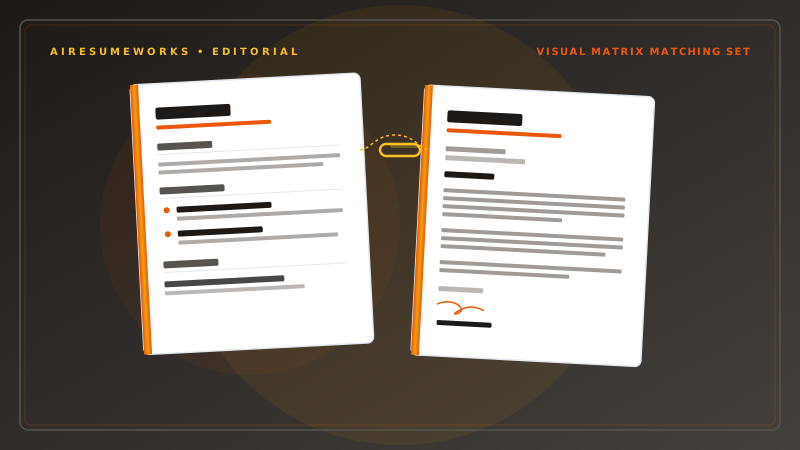
A resume and cover letter are often submitted together, so using a consistent design can make your application look more organized and professional. A matching resume and cover letter do not need to be identical. They should simply use a similar visual style, such as the same font, heading format, spacing, and accent color.
The most important part is still the content. A matching design can improve the overall presentation, but it cannot replace a resume and cover letter that are relevant to the job.
What Is a Matching Resume and Cover Letter Set?
A matching set uses the same or complementary design elements across both documents. These may include:
- Font choices
- Heading styles
- Accent colors
- Name and contact information
- Margins
- Spacing
- Overall visual structure
For example, your resume might use a dark green heading color and a particular font. Your cover letter can use the same heading color and font while maintaining a simpler letter format.
The goal is consistency rather than creating two identical documents.
Why Use Matching Templates?
A matching set can make your application materials look more polished. When an employer opens your resume and cover letter, consistent formatting makes it clear that the documents belong together.
This can be especially useful when applying for professional positions where presentation matters. However, matching documents should remain easy to read.
A highly decorative design is not automatically better than a simple one.
Consistent Branding
Using the same visual elements across your documents creates a consistent professional identity. Your name, typography, and formatting can appear the same on your resume and cover letter.
This can also be useful if you maintain other professional materials such as:
- Portfolio websites
- Professional biographies
- Business documents
The design does not have to be elaborate. Even simple consistency can make documents look more intentional.
What Should Match?
Not every part of the documents needs to be identical. The following elements can usually be coordinated.
Your Name
Your name can appear in the same font and similar size on both documents. It should be easy to identify at the top of each document.
Contact Information
Use consistent contact information across your resume and cover letter. Depending on the format, this may include:
- Phone number
- Email address
- City and state
- LinkedIn profile
- Professional website
Make sure the information is accurate and current.
Fonts
Using the same primary font across both documents creates visual consistency. Choose a readable professional font rather than an overly decorative one.
Colors
If your resume uses an accent color, you can use the same color for headings or other subtle elements on your cover letter. You do not need multiple colors.
One restrained accent color is often enough.
Headings
If your resume uses a particular heading style, consider using a similar style for the cover letter. The documents should look like they belong to the same application.
What Should Not Match Exactly?
A cover letter is a letter, so it should still follow a recognizable letter structure. A resume typically contains sections such as:
Professional Summary
Work Experience
Education
Skills
A cover letter generally contains:
- Your contact information
- Date
- Employer information
- Greeting
- Introduction
- Body paragraphs
- Closing
- Name
Trying to force the cover letter into the exact same layout as the resume can make it look less like a professional letter. Matching does not mean copying the resume's structure.
How to Create a Matching Set
You can create a matching resume and cover letter using a resume builder, document editor, or templates. Start by selecting the overall visual style. Step 1: Choose the Resume Design
Select a resume template with:
- Professional typography
- Clear sections
- Readable text
- Appropriate spacing
- A clean layout
Avoid choosing a template simply because it is visually impressive. Think about the industry and type of position you are targeting. Step 2: Identify the Design Elements
Take note of the resume's:
- Font
- Font sizes
- Heading style
- Accent color
- Name placement
- Contact information format
- Margins
These elements can then be carried over to the cover letter. Step 3: Create the Cover Letter Use the same basic visual identity while maintaining a traditional cover letter structure.
The top of the cover letter can use the same name and contact information style as the resume. The body should remain clean and easy to read. Step 4: Check the Two Documents Together
Open the resume and cover letter side by side. Look for obvious differences in:
- Fonts
- Colors
- Spacing
- Name formatting
- Contact information
- Margins
The two documents do not need to be perfect copies of one another, but they should look like part of the same application.
What Should a Cover Letter Include?
A matching template is only useful if the cover letter itself contains relevant information. A typical cover letter includes several basic components.
Opening
The opening should identify the position you are applying for and establish why you are interested in it. Avoid generic statements that could apply to any employer.
Relevant Experience
The main body should connect your experience and skills to the position. Choose a few qualifications that are particularly relevant instead of repeating your entire resume.
Evidence of Qualifications
Whenever possible, provide specific examples of your experience. For example, instead of simply saying that you have leadership skills, briefly explain a relevant leadership responsibility or accomplishment.
Closing
The final paragraph should reinforce your interest and provide an appropriate professional closing. The cover letter should complement the resume rather than repeat it word for word.
Should Your Cover Letter Repeat Your Resume?
No. The two documents should work together. Your resume provides a structured overview of your professional history. Your cover letter gives you an opportunity to explain why your background is relevant to the specific position.
For example, your resume might state:
Managed a team of 10 employees and coordinated daily operations. Your cover letter could explain how that management experience prepared you to handle the responsibilities of the position you are applying for.
The cover letter should add context rather than simply copying resume bullet points into paragraphs.
Matching Templates and ATS
ATS compatibility is primarily a concern for resumes, but your overall application should still use clean, professional formatting. Avoid overly complicated designs in either document.
For resumes, particularly when submitting through online application systems, consider using:
- Standard section headings
- Readable fonts
- Simple layouts
- Clear text
- Consistent formatting
A matching design should never come at the expense of readability.
Should You Use Color?
You can use color in a resume and cover letter, but keep it restrained. A subtle accent color can help create consistency. For example, you might use one color for:
- Your name
- Section headings
- A thin design element
The rest of the document can remain primarily black or dark text on a light background. Avoid using bright colors throughout the document. The goal is professional presentation, not decoration.
Matching Resume and Cover Letter Templates for Different Industries
Different industries can have different expectations.
Corporate and Office Positions
A simple professional design is generally appropriate. Use clear typography and restrained formatting.
Healthcare
Prioritize readability and organization. Avoid excessive design elements that distract from your qualifications.
Finance
A conservative professional design may be appropriate. Keep the layout clean and straightforward.
Technology
A modern but simple design can work well. Make your technical skills and experience easy to identify.
Creative Industries
You may have more flexibility with typography and visual design. Even so, the content should remain easy to read and relevant to the position.
Free Matching Resume and Cover Letter Templates
There are many free templates available online, but check the terms before using them. Some free templates may:
- Require specific software
- Limit customization
- Include branding
- Use complicated formatting
- Require payment for certain features
If you are using an online resume builder, check whether matching cover letter templates are included with the free plan. If you are using a downloadable template, make sure you can edit both documents easily.
Using AI to Create a Matching Cover Letter
AI can help create or improve cover letter content, particularly when you already have a resume and job description. You can use your resume information and the job requirements as source material for developing a draft.
AI may help with:
- Organizing the letter
- Improving wording
- Identifying relevant qualifications
- Connecting experience to the job
- Adjusting the tone
- Removing repetitive language
However, the finished cover letter should accurately represent your experience. Avoid submitting a generic AI-generated letter without reviewing it. The strongest cover letters contain specific information about the position and explain why your qualifications are relevant.
- Common Mistakes With Matching Templates
- ❌ Making the Documents Identical
A cover letter should still look like a cover letter. Use matching design elements without copying the entire resume layout.
❌ Using Too Much Color
Multiple colors can make professional documents look distracting.
❌ Choosing Design Over Readability
A visually impressive template is not useful if the text is difficult to read.
❌ Copying the Resume
Your cover letter should provide additional context rather than repeating every resume bullet point.
❌ Using the Same Letter for Every Job
A generic cover letter is less useful than one tailored to the specific position.
❌ Ignoring the Job Description
The cover letter should address qualifications that matter to the employer.
Matching Set Checklist
Before submitting your application, check:
✓ Resume and cover letter use complementary designs ✓ Name is formatted consistently ✓ Contact information is accurate ✓ Fonts are coordinated ✓ Accent colors are consistent ✓ Spacing looks professional ✓ Resume remains ATS-friendly ✓ Cover letter is tailored to the position ✓ Cover letter adds information rather than copying the resume ✓ Both documents have been proofread ✓ Both files look correct when opened
A matching resume and cover letter can create a more professional and consistent application package. The key is to coordinate the visual elements without making the documents overly decorative or identical.
Choose a clean resume template first, then carry its most important design elements into the cover letter. Keep the content focused on the specific position, and make sure both documents clearly communicate your qualifications.