Resume Design: How to Make Your Resume Look Professional
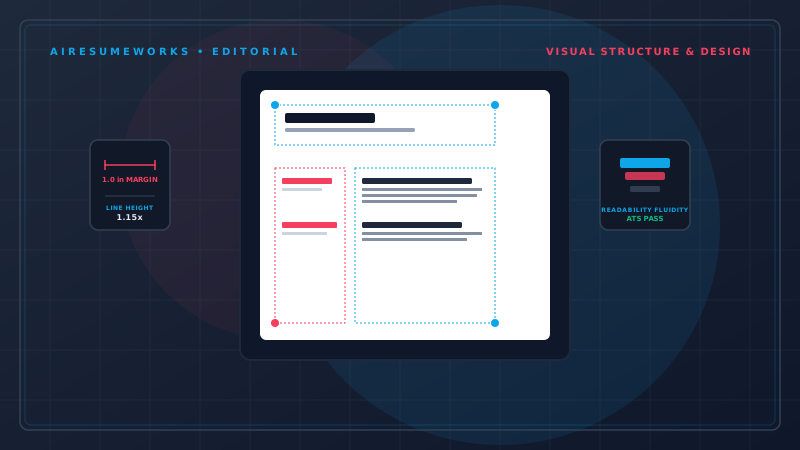
A professional resume design can make it easier for employers to quickly understand your experience, skills, and qualifications. While the content of your resume is more important than decoration, the way that content is organized can affect how easy it is to read.
A good resume should look clean, organized, and appropriate for the position you're applying for. It doesn't need elaborate graphics or unusual formatting to stand out.
In most cases, the strongest resume design is one that makes your qualifications stand out rather than the design itself.
What Makes a Resume Look Professional?
A professional resume typically has a clear structure, consistent formatting, readable text, and enough white space to prevent the page from looking crowded.
Important information should be easy to locate without the reader having to search through the document. A professional resume design usually includes:
- Clear section headings
- Consistent fonts
- Consistent spacing
- Easy-to-read text
- Organized work experience
- Clearly separated sections
- Appropriate margins
- Simple formatting
- Good use of white space
The goal is to create a document that looks polished while keeping the attention on your qualifications.
Start With a Simple Layout
You don't need a complicated layout to create a professional resume. A simple structure might include:
Your name and contact information
Professional summary or objective
Work experience
Education
Skills
Certifications or other relevant information
The exact sections will depend on your background and the position you're applying for. A simple layout also makes it easier to update your resume when you gain new experience or apply for different types of positions.
Choose a Professional Font
The font you use can affect the overall appearance of your resume. Choose a font that is easy to read on a computer screen and when printed. Avoid highly decorative fonts that may make your resume difficult to read or give it an unprofessional appearance.
You also don't need to use several different fonts. A simple approach is to use one font throughout the resume, with differences in size or weight to distinguish headings from the main text.
For example, your name can be larger than the rest of the document, while section headings can use a slightly larger or bold version of the same font.
Consistency is more important than choosing a particular font.
Use Consistent Formatting
Inconsistent formatting can make an otherwise strong resume look unfinished. For example, if one job title is bold and another is not, or if dates appear on different sides of the page for different positions, the resume can look disorganized.
Keep formatting consistent throughout the document. Pay attention to:
- Job titles
- Employer names
- Dates
- Section headings
- Bullet points
- Font sizes
- Spacing
- Alignment
Once you choose a formatting style, use it consistently.
Make Your Name Easy to Find
Your name should be one of the most noticeable elements on the page. It doesn't need to take up a large portion of the first page, but it should be easy to identify.
Your contact information can appear directly below your name. Depending on your situation, this may include:
- Phone number
- Professional email address
- City and state
- LinkedIn profile
- Professional website or portfolio
Only include information that is relevant and appropriate for your job search.
Use White Space Effectively
White space is the empty space between sections and elements of your resume. It helps prevent the page from looking crowded. Without enough white space, a resume can become difficult to scan, even if the content itself is strong.
At the same time, too much empty space can make a resume look incomplete. The goal is balance. Use reasonable spacing between:
- Your contact information
- Your summary
- Job positions
- Bullet points
- Major sections
A clean layout allows the reader's eyes to move naturally from one section to another.
Choose Appropriate Margins
Margins provide space around the edges of the page. If the margins are too narrow, the resume can look crowded and difficult to read. If they're excessively wide, you may unnecessarily limit the amount of information that fits on the page.
A standard margin is often a good starting point. If you need to fit a resume onto an appropriate number of pages, adjust spacing and remove unnecessary content before making the margins extremely narrow.
Your goal should be readability rather than squeezing as much information as possible onto the page.
Use Headings to Organize the Resume
Section headings help employers quickly identify different parts of your background. Common headings include:
Professional Summary
Work Experience
Education
Skills
Certifications
Projects
Volunteer Experience
Use clear headings that accurately describe the information underneath them. Avoid overly creative section titles that could make important information harder to identify.
For example, "Professional Experience" is immediately understandable. A heading such as "Where I've Made an Impact" may sound more creative, but it doesn't communicate the purpose of the section as clearly.
Make Your Work Experience Easy to Scan
Your work experience is often one of the most important sections of your resume. Make each position easy to identify. A typical entry might include:
- Job Title
- Company Name — Location
- Employment Dates
Then use bullet points to describe your responsibilities and accomplishments. Keep the formatting consistent for every position. Employers should be able to quickly determine:
- Where you worked
- What your position was
- When you worked there
- What you accomplished
- Use Strong Resume Bullet Points
Bullet points can make work experience easier to read than large blocks of text. Instead of writing a long paragraph describing everything you did in a position, separate major responsibilities and accomplishments into individual bullet points.
Whenever possible, focus on specific contributions and results. For example:
Managed customer accounts and handled customer inquiries. is understandable but fairly general. A more specific bullet might explain the type of customers, responsibilities, or results involved.
If you have legitimate measurable results, include them when appropriate. Examples of useful measurements can include:
- Number of customers served
- Revenue generated
- Costs reduced
- Projects completed
- Employees supervised
- Processing time reduced
- Sales increased
Only use numbers that accurately represent your experience.
Don't Overdesign Your Resume
A resume doesn't need to look like a magazine advertisement. Overly complicated designs can distract from the information employers actually need. Be cautious with:
- Large graphics
- Excessive colors
- Decorative borders
- Background images
- Multiple fonts
- Large icons
- Skill rating bars
- Unnecessary charts
- Elaborate illustrations
These elements may make a resume look visually interesting, but they don't necessarily make it more effective. Your qualifications should remain the primary focus.
Use Color Carefully
A small amount of color can create visual structure, but color should be used carefully. For many professional positions, black or dark text on a light background is a safe choice.
If you use an accent color, consider using it consistently for elements such as:
- Section headings
- Your name
- Thin dividing lines
- Small design accents
Avoid using several bright colors throughout the resume. Also consider how the resume will look when printed in black and white. The information should remain readable even without color.
Consider ATS Compatibility
Many employers use Applicant Tracking Systems to process resumes submitted online. An ATS may scan resumes for information such as skills, job titles, qualifications, and keywords.
This is another reason to avoid unnecessary design elements. For an ATS-friendly resume, consider using:
- Standard section headings
- Simple formatting
- Readable fonts
- Conventional resume sections
- Clear text
- Limited graphics
- Straightforward layouts
Avoid placing important information inside images or decorative elements. A visually impressive resume isn't useful if important information becomes difficult for an automated system to process.
Should You Use a Two-Column Resume?
Two-column resumes can create a modern appearance and allow you to fit information into a smaller space. However, columns can also complicate the way information is read, particularly by some automated systems.
If you're applying through online systems and want to minimize potential formatting problems, a simple single-column design is generally the safer choice.
A two-column design may work well in some circumstances, but the benefits of the design should be weighed against the need for straightforward organization and readability.
Choose a Design That Fits Your Industry
Not every industry expects the same type of resume. For many traditional professional fields, a conservative design is appropriate. This may include areas such as:
- Finance
- Accounting
- Law
- Healthcare
- Government
- Business administration
Creative professionals may have more flexibility. People applying for roles in areas such as graphic design, advertising, or other creative fields may have more opportunities to demonstrate visual skills through their resume.
Even then, readability remains important. The design should support your professional identity rather than overwhelm the information.
Make Your Resume Easy to Read on a Screen
Many employers review resumes digitally. Your resume should therefore remain easy to read on a computer screen. Check:
- Font size
- Line spacing
- Paragraph spacing
- Section spacing
- Contrast
- Page breaks
- Alignment
Zoom out and look at the entire page.
Can you quickly identify the major sections?
Can you tell where one job ends and another begins?
Does any section look unusually crowded?
These simple checks can reveal design problems before you submit the resume.
Keep Your Resume Length Appropriate
Resume length depends on your experience and the position you're applying for. Someone entering the workforce may have enough relevant information for a one-page resume.
Someone with extensive professional experience may need more than one page. Don't remove important information simply to force everything onto one page.
At the same time, don't add unnecessary information just to make the resume longer. The goal is to provide enough relevant information to demonstrate your qualifications without overwhelming the reader.
Remove Unnecessary Information
One of the easiest ways to improve resume design is to remove content that doesn't contribute to your application. Look for:
- Repetitive statements
- Outdated information
- Irrelevant jobs
- Generic objectives
- Unnecessary personal information
- Long paragraphs
- Repeated skills
- Decorative elements that don't add value
Removing unnecessary content creates more space for the information that actually matters.
Tailor the Design and Content to the Job
Your resume doesn't need to look dramatically different for every job, but the content should be tailored to the position. For example, if a job emphasizes project management, your resume should make your relevant project management experience easy to find.
If another position emphasizes customer service, your customer-facing experience and accomplishments should receive more attention. The same professional template can be used for both applications while changing the content to match the job.
Review Your Resume Before Sending It
After you've finished designing your resume, review it carefully. Check for:
- Spelling errors
- Grammar mistakes
- Inconsistent formatting
- Incorrect dates
- Incorrect contact information
- Uneven spacing
- Missing information
- Broken page breaks
- Unnecessary sections
- Difficult-to-read text
Also review the resume from the employer's perspective.
Can someone quickly understand what you do?
Are your most important qualifications easy to find?
Does your work experience clearly show what you accomplished?
If the answer is yes, the design is doing its job.
A Professional Resume Doesn't Need to Be Complicated
The purpose of resume design is to make your information easier to understand. A professional resume doesn't need elaborate graphics, unusual fonts, or complicated layouts. In many cases, a clean and simple design will make a stronger impression than an overly creative one.
Choose readable fonts, consistent formatting, appropriate spacing, clear section headings, and a layout that keeps your qualifications at the center of attention.
Most importantly, don't let the design become more important than the content. A well-designed resume should make your experience, skills, and accomplishments easier to see—not compete with them.