Resume Format Templates: Examples of Professional Resume Formats
Choosing the right resume format can make it easier for employers to understand your experience, skills, and qualifications. A resume format determines how your information is organized and which parts of your background receive the most attention.
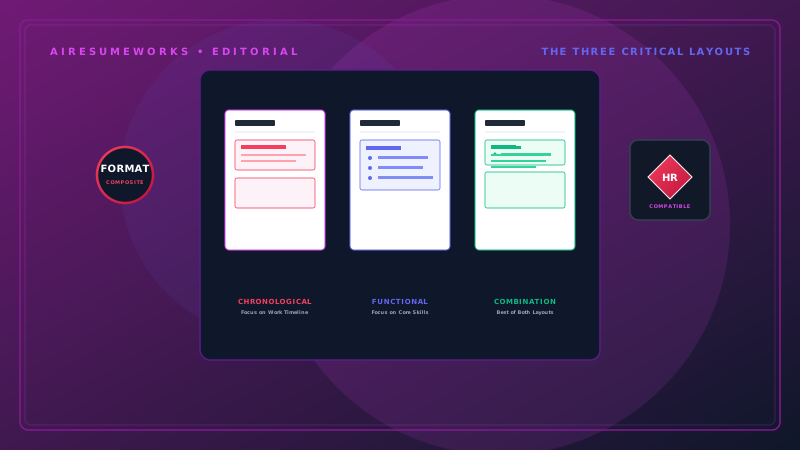
There are several common resume formats, but the best choice depends on your work history, career goals, and the position you're applying for. The three formats you will encounter most often are the chronological, functional, and combination resume formats.
Understanding the differences can help you choose a format that presents your background in the strongest and clearest way.
What Is a Resume Format?
A resume format is the overall organizational structure used to present your professional information. It determines how sections such as your work experience, education, skills, and qualifications are arranged.
The format can influence what an employer notices first. For example, a chronological resume places strong emphasis on your employment history, while a functional resume puts more attention on skills.
The most appropriate format depends on your circumstances.
The Three Main Resume Formats
The three traditional resume formats are:
- Chronological resume
- Functional resume
- Combination resume
Each has advantages and disadvantages. For many job seekers, a chronological or combination format is the most practical choice.
1. Chronological Resume Format
The chronological format is one of the most commonly used resume formats. It organizes your work experience in reverse chronological order, with your most recent position listed first.
A typical structure looks like this:
- Your Name
- Contact Information
Professional Summary
Short overview of your experience and qualifications.
Professional Experience
- Current Job Title
- Company Name — Location
- 2022–Present
- Responsibility or accomplishment
- Responsibility or accomplishment
- Responsibility or accomplishment
- Previous Job Title
- Previous Company — Location
- 2018–2022
Responsibility or accomplishment
Responsibility or accomplishment
Responsibility or accomplishment
Education
Degree — School Name
Skills
Relevant professional skills.
Why Use a Chronological Resume?
This format makes your career history easy to follow. Employers can quickly see:
- Where you currently work
- How long you've worked there
- Previous employers
- Career progression
- Job titles
- Length of employment
It is particularly useful when your employment history is relatively consistent and relevant to the position you're applying for.
Example
A marketing professional with several years of progressively responsible experience might use:
- Marketing Manager — 2022–Present
- Marketing Specialist — 2019–2022
- Marketing Coordinator — 2017–2019
The progression immediately shows increasing responsibility.
2. Functional Resume Format
A functional resume emphasizes skills and qualifications rather than placing the primary focus on employment history. Instead of making the work history the most prominent section, the resume may organize experience around areas of expertise.
For example:
Professional Summary
Experienced professional with strong customer service, team leadership, and operational skills.
- Leadership Skills
- Supervised employees
- Coordinated daily operations
- Trained new staff
- Managed schedules
- Customer Service
- Resolved customer concerns
- Managed customer accounts
- Handled escalated issues
- Administrative Skills
- Maintained records
- Prepared reports
- Coordinated schedules
- Employment History
- Company Name — Job Title
- Company Name — Job Title
When Might a Functional Resume Be Useful?
A functional format may be considered by someone whose work history doesn't fit neatly into a traditional chronological resume. For example, it may be useful when a person:
- Has significant employment gaps
- Has changed careers several times
- Has worked in many short-term positions
- Has limited traditional employment experience
- Wants to emphasize transferable skills
However, functional resumes have a potential disadvantage. Some employers prefer to see a clear employment history and may find a heavily skills-based format less informative.
For that reason, a functional resume isn't always the best choice simply because someone has employment gaps or wants to emphasize skills.
3. Combination Resume Format
A combination resume combines elements of the chronological and functional formats. It allows you to highlight important skills while still providing a detailed employment history.
A typical structure might look like:
- Your Name
- Contact Information
Professional Summary
Brief overview of your professional background.
Core Skills
Project Management
Team Leadership
Customer Service
Process Improvement
Professional Experience
- Job Title
- Company Name — Location
- 2022–Present
- Accomplishment
- Responsibility
- Accomplishment
- Previous Job Title
- Company Name — Location
- 2018–2022
Responsibility
Accomplishment
Responsibility
Education
Degree — School Name
Why Choose a Combination Resume?
This format can be useful when you want to emphasize specific skills while maintaining a clear career history. It can work particularly well for:
- Experienced professionals
- Career changers
- People with transferable skills
- Professionals with specialized expertise
The combination format gives you more flexibility than a strictly chronological resume without completely hiding your employment history. Chronological vs. Functional vs. Combination
Here's a quick comparison:
Resume Format Main Focus Best For Chronological Work history Candidates with consistent relevant experience Functional Skills Candidates emphasizing transferable or specialized skills Combination Skills + work history Experienced professionals and career changers
There isn't one format that is automatically best for everyone. Your circumstances should determine which structure makes the most sense.
Which Resume Format Is Best for Most Job Seekers?
For many job seekers, the chronological format is a strong starting point. Employers generally want to understand your professional history, and a chronological resume makes that information easy to follow.
A combination format can also be effective when you have important skills or specialized experience that deserve additional emphasis. A functional resume may have a place in certain situations, but it should be used carefully because some employers may prefer a more transparent employment history.
When in doubt, a clean chronological resume is often a practical choice.
Resume Format for Someone With No Experience
If you're creating your first resume, you don't have a long employment history to emphasize. You can still use a straightforward format. For example:
- YOUR NAME
- Contact Information
Professional Summary
Recent graduate with strong communication, organization, and computer skills seeking an entry-level administrative position.
Education
- Bachelor of Business Administration
- Example University
Relevant Experience
- Volunteer Assistant
- Community Organization
Assisted visitors with questions and registration. Organized materials and maintained records. Worked with volunteers to complete daily activities. Skills Microsoft Office Communication Organization Customer Service Teamwork
The resume format should make your strongest qualifications easy to find, even when professional experience is limited.
Resume Format for Career Changers
Career changers often have experience that is valuable but not directly related to their new career. A combination format can help bring transferable skills forward while still showing employment history.
For example, someone moving from retail management into office administration might emphasize:
- Scheduling
- Employee training
- Record keeping
- Customer service
- Operations
- Communication
The work history remains visible, but the relevant transferable skills receive greater attention.
Resume Format for Experienced Professionals
Experienced professionals may benefit from a chronological or combination format. A chronological format can clearly demonstrate career progression. A combination format can be useful when the candidate has specialized expertise that should be highlighted near the top of the resume.
For example, an experienced IT professional may want to emphasize technical skills before presenting detailed employment history. The best choice depends on the individual's background and the position being targeted.
Resume Format for Students and Recent Graduates
Students and recent graduates may have limited professional experience. A resume can therefore emphasize:
Education
Internships
Projects
Skills
Volunteer work
Relevant coursework
Part-time employment
A simple chronological structure can still work well. The key is to make the available experience relevant to the position rather than trying to make the resume appear more experienced than it is.
Resume Format and Applicant Tracking Systems
If you apply for jobs online, you should also consider how the resume format may interact with Applicant Tracking Systems (ATS). An ATS may scan your resume for information such as:
Skills
Job titles
Education
Qualifications
Keywords
Work experience
A straightforward format can make your information easier to process. For online applications, consider using:
- Standard section headings
- Clear text
- Readable fonts
- Simple formatting
- Conventional resume sections
- Consistent organization
Avoid unnecessarily complicated layouts. Highly decorative templates may look attractive but can make information harder to process.
Single-Column Resume Format
A single-column resume places your information in one straightforward vertical structure. For example:
Name
Contact Information
Professional Summary
Summary text.
Professional Experience
Job information and bullet points.
Education
Education information.
Skills
Skills list. This format is simple, professional, and easy to scan. It can also be a practical choice for online job applications because information follows a predictable reading order.
Two-Column Resume Format
A two-column format divides the page into separate sections. For example, a narrow column might contain:
Skills
Certifications
Contact information
while the larger column contains:
Professional summary
Work experience
Education
Two-column resumes can look modern, but they introduce additional layout complexity. If ATS compatibility is a major concern, a simpler single-column format may be preferable.
Resume Format vs. Resume Design These two concepts are related but aren't exactly the same. Resume format refers primarily to how your information is organized.
Resume design refers more to how the document looks. Design includes elements such as:
- Fonts
- Colors
- Spacing
- Borders
- Headings
- Visual elements
- Overall appearance
You can use a chronological format with either a very simple design or a more modern professional design. The format determines the organizational structure, while the design determines the visual presentation.
Don't Choose a Format Just Because It Looks Modern
A modern-looking resume isn't necessarily a better resume. A template may use:
- Multiple columns
- Graphics
- Icons
- Skill bars
- Large design elements
- Unusual fonts
These features can make the document visually interesting, but they don't necessarily improve your chances of getting an interview. Choose a format that makes your qualifications easy to understand.
Keep Your Resume Format Consistent
Once you choose a format, use it consistently throughout the document. For example, make sure:
- All job titles use the same formatting
- Employment dates follow the same pattern
- Section headings look consistent
- Bullet points are formatted consistently
- Spacing is uniform
- Fonts are used consistently
Inconsistent formatting can make a professional resume look unfinished.
Tailor Your Resume Format to the Job
You don't necessarily need to change your entire resume format for every application. However, you may want to emphasize different parts of your experience depending on the position.
For example, a project manager applying for another project management position might emphasize project leadership and measurable results. The same person applying for an operations position might emphasize process improvement, team management, and operational experience.
The basic format can remain the same while the content and emphasis change.
Common Resume Format Mistakes
Avoid these common problems:
Using an Overly Complicated Layout
A complicated design can distract from your qualifications.
Hiding Employment History
If your work history is relevant, don't make it unnecessarily difficult to find.
Using Too Many Columns
Multiple columns can make the resume harder to scan and may create formatting concerns.
Choosing a Decorative Template
Design should support your content rather than overwhelm it.
Making the Resume Too Dense
Crowding too much information onto the page can make the resume difficult to read.
Using Inconsistent Formatting
Different fonts, spacing, date formats, and heading styles can make the document look unprofessional.
Choosing a Format That Doesn't Fit Your Experience
A format should present your strongest qualifications, not simply follow a trend.
How to Choose the Right Resume Format
If you're unsure which format to use, ask yourself a few questions.
Is my employment history consistent and relevant?
If yes, a chronological format may be a good choice.
Do I need to emphasize transferable skills?
If yes, consider a combination format.
Do I have a nontraditional work history?
A functional format may be worth considering, although you should weigh its disadvantages.
Am I applying online?
A simple, straightforward format may be the safest choice.
Does the format make my strongest qualifications easy to find?
If not, consider another format.
A Good Resume Format Makes Your Experience Easier to Understand
There is no single resume format that works perfectly for every job seeker. A chronological format can be an excellent choice for people with consistent, relevant employment histories. A combination format can help experienced professionals and career changers emphasize important skills while maintaining a clear work history. A functional format may be appropriate in certain situations but should be used carefully.
Regardless of the format you choose, keep your resume organized, readable, accurate, and relevant to the position you're applying for. The best resume format is the one that allows an employer to quickly understand your professional background and identify the qualifications that make you a strong candidate.