Resume Key Skills: What Skills Should You Put on Your Resume?
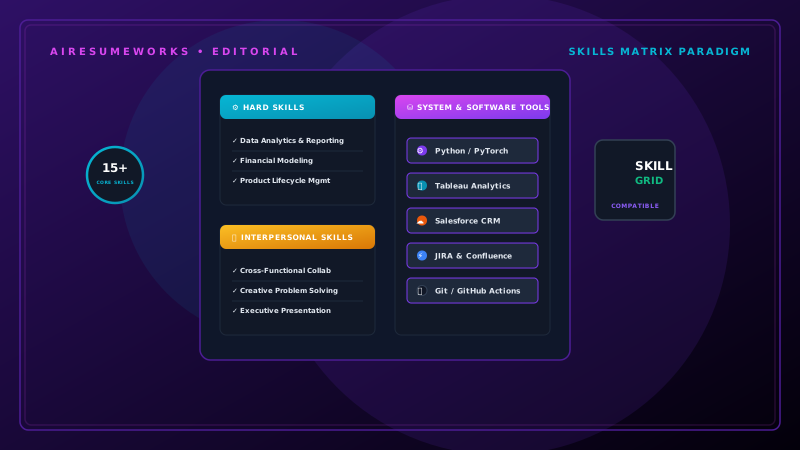
The skills section of your resume gives employers a quick way to see what you can do. It can also help applicant tracking systems (ATS) identify qualifications that match a job description.
However, a strong skills section is not simply a long list of everything you have ever learned. The best skills to include are the ones that are relevant to the job, supported by your experience, and presented clearly.
Choosing the right skills can be especially important when applying for competitive positions, changing careers, or creating a resume for a specific job.
What Are Resume Key Skills?
Resume key skills are abilities, knowledge, and competencies that are relevant to your professional qualifications. They can include both technical and interpersonal abilities.
Examples include:
- Customer service
- Microsoft Excel
- Project management
- Data analysis
- Sales
- Communication
- Leadership
- Programming
- Scheduling
- Inventory management
- Social media marketing
- Graphic design
The skills you list should depend on your background and the position you are applying for. A skill that is valuable for an accountant may be irrelevant for a graphic designer.
Hard Skills vs. Soft Skills It is useful to understand the difference between hard skills and soft skills.
Hard Skills
Hard skills are specific abilities that can usually be learned, demonstrated, or measured. Examples include:
- Microsoft Excel
- SQL
- Python
- Bookkeeping
- Web development
- Medical coding
- Graphic design
- Data analysis
- Project management software
- Accounting
These skills can often be connected directly to a job responsibility or accomplishment.
Soft Skills
Soft skills generally describe how you work or interact with other people. Examples include:
- Communication
- Teamwork
- Leadership
- Problem solving
- Organization
- Adaptability
- Time management
- Conflict resolution
Soft skills can be useful, but simply listing them does not provide much evidence. Whenever possible, demonstrate soft skills through your work experience.
For example, instead of only listing "leadership," you could describe how you trained employees, coordinated a project, or managed a team.
Start With the Job Description
One of the best ways to determine which skills belong on your resume is to study the job description. Look for:
- Required skills
- Preferred skills
- Software
- Certifications
- Technical requirements
- Responsibilities
- Industry terminology
For example, suppose an employer is looking for an administrative assistant and specifically mentions:
- Microsoft Office
- Scheduling
- Customer service
- Data entry
- Organization
If you genuinely have those skills, they should be easy to find on your resume. Tailoring your skills section to the position makes the resume more relevant.
Only Include Skills You Actually Have
This is one of the most important rules. Do not add a skill simply because it appears in the job description. If a company requires experience with Salesforce and you have never used Salesforce, do not list it on your resume.
Adding false qualifications can create problems during an interview or after being hired. Your skills section should accurately represent your abilities.
Put the Most Relevant Skills First
The order of your skills can matter. If a job description emphasizes five particular skills that you genuinely possess, those skills should generally receive more attention than unrelated abilities.
For example:
Technical Skills
- Microsoft Excel
- Salesforce
- Data Analysis
- Customer Relationship Management
- Microsoft Word
This is more useful than listing dozens of skills in random order. Think about what the employer is most likely to care about.
Create Categories When Necessary
If you have many different skills, organizing them into categories can make the resume easier to read. For example:
Technical Skills
- HTML
- CSS
- JavaScript
- Git
Business Skills
- Project Management
- Data Analysis
- Process Improvement
Communication Skills
- Client Communication
- Presentation
- Technical Writing
Categories are particularly useful when your professional background involves several skill areas. For a simple resume, however, one well-organized skills section may be enough.
Use Specific Skills Instead of Generic Terms
Specific skills are generally more informative than vague descriptions. For example:
Less specific:
Computer skills
More specific:
- Microsoft Excel
- Microsoft Word
- Google Sheets
- Salesforce
Instead of:
Less specific:
Marketing
Consider:
- Email Marketing
- Search Engine Optimization
- Social Media Marketing
- Content Marketing
Specific terms help employers understand what you actually know.
Include Software and Technology
If a job involves specific software or technology, consider listing relevant tools you have experience using. Examples include:
- Microsoft Excel
- Microsoft Word
- Google Workspace
- Salesforce
- HubSpot
- Adobe Photoshop
- QuickBooks
- Jira
- Slack
- Tableau
Only list programs you can actually use. If your experience is limited, avoid presenting yourself as an expert.
Include Industry-Specific Skills
Some skills are particularly important within specific industries. For example:
Healthcare
- Patient care
- Medical terminology
- Electronic health records
- Medication administration
Information Technology
- Network administration
- Cybersecurity
- Python
- SQL
- Cloud computing
Construction
- Blueprint reading
- Equipment operation
- Safety procedures
- Project coordination
Customer Service
- Conflict resolution
- CRM systems
- Account management
- Complaint resolution
Accounting
- Bookkeeping
- Accounts payable
- Accounts receivable
- Financial reporting
Your skills section should reflect the terminology used within your profession.
Don't Rely on a Skills Section Alone
A skills section tells employers what you claim to know. Your experience section should demonstrate how you have actually used those skills. For example:
Skills
- Microsoft Excel
- Data Analysis
Then demonstrate those skills in your experience:
Used Microsoft Excel to analyze weekly sales data and prepare performance reports for management. This is much stronger than simply listing Excel and data analysis.
Use Keywords Naturally
Skills can also function as resume keywords. If a job description repeatedly mentions "inventory management" and you genuinely have that experience, include the phrase where appropriate.
For example:
Skills
- Inventory Management
- Microsoft Excel
- Order Processing
And in your experience:
Managed inventory records, processed purchase orders, and used Microsoft Excel to track stock levels. The keyword appears naturally and is supported by your experience.
Avoid Keyword Stuffing
Adding the same skill repeatedly does not make your resume stronger. For example:
- Customer service
- Customer service skills
- Customer service experience
- Customer service support
- Customer service communication
This creates unnecessary repetition. Instead, list the skill once and demonstrate it through your work history. A clean skills section is easier to read.
How Many Skills Should You List?
There is no universal number that every resume should follow. The right number depends on:
- Your experience
- The job
- Your industry
- The amount of space available
A focused list of relevant skills is generally better than a huge list. For example:
Skills
- Customer Service
- Account Management
- Salesforce
- Microsoft Excel
- Conflict Resolution
- Data Entry
- Team Training
- Problem Solving
That may be more effective than listing 30 or 40 unrelated skills.
Skills for Entry-Level Resumes
If you are applying for your first professional job, you may not have extensive work experience. Look for relevant skills from:
Education
Internships
Volunteer work
Part-time jobs
Projects
Training
School activities
For example, a recent graduate applying for an administrative position might have:
- Microsoft Office
- Data Entry
- Scheduling
- Customer Service
- Presentation Skills
- Research
The important thing is to be able to explain where you developed those skills.
Skills for Career Changers
Career changers should focus heavily on transferable skills. Suppose someone is moving from retail management into office administration. Relevant transferable skills might include:
- Scheduling
- Employee training
- Customer communication
- Inventory management
- Record keeping
- Problem solving
- Team coordination
These skills can help employers recognize the value of experience gained in another industry. The resume should explain the connection rather than simply listing unrelated abilities.
Technical Skills May Deserve More Detail
Technical skills can sometimes be evaluated more specifically than soft skills. For example, instead of:
Computer skills
you could list:
- Microsoft Excel
- SQL
- Python
- HTML
- CSS
- JavaScript
If appropriate, you can also indicate your level of experience, but be careful with vague labels such as "expert" unless you can confidently demonstrate that level of proficiency.
Should You Rate Your Skills?
Some resume templates use visual ratings such as:
Excel: ★★★★★ or:
JavaScript: 90% These ratings are usually unnecessary. There is no standardized meaning behind five stars or a percentage. A better approach is to demonstrate your proficiency through:
Work experience
Projects
Certifications
Accomplishments
For example:
Created automated Excel reports that reduced weekly reporting time. That provides more useful evidence than giving yourself a five-star rating.
Consider Certifications Separately
Certifications can be included in the skills section in some cases, but they often deserve their own section when they are important to the position. For example:
Certifications
- CompTIA A+
- Google Analytics Certification
- Project Management Professional (PMP)
This makes important credentials easier to find.
Don't Forget Transferable Skills
Transferable skills can be especially valuable when your previous job does not closely match the new position. Common transferable skills include:
- Communication
- Organization
- Leadership
- Customer service
- Time management
- Problem solving
- Team coordination
- Training
- Research
- Project coordination
However, try to connect these skills to specific examples rather than relying on the words alone.
Review Your Skills Before Every Application
You do not necessarily need to rewrite your entire resume for every job. However, reviewing the skills section before submitting an application can help ensure that it reflects the position.
Ask yourself:
Which skills does this employer emphasize? Which of those skills do I genuinely possess? Are those skills already visible in my resume? Should I move an important skill higher in the list? Should I remove skills that are irrelevant? Do my work experience bullets support the skills I listed?
This process can make your resume more targeted.
Use AI to Identify Relevant Skills
AI can help compare your resume with a job description and identify potential skill matches. For example, you can provide the job description and ask AI to identify:
- Required skills
- Preferred skills
- Technical skills
- Software
- Industry-specific terminology
Then compare those requirements with your own background. AI can help identify skills you may have overlooked, but it should not determine whether you actually possess them.
You should always verify the suggestions against your real experience.
Common Skills Section Mistakes
Several mistakes can weaken an otherwise strong resume.
Listing Every Skill You Have
A long list can make your resume look unfocused.
Including Skills You Don't Have
Never add qualifications simply because they appear in a job description.
Using Vague Terms
"Computer skills" tells an employer very little.
Repeating Keywords
Repeating the same terms throughout the resume can make the writing unnatural.
Listing Skills Without Evidence
A skills list is more convincing when your experience demonstrates those abilities.
Using Unclear Skill Ratings
Star ratings and percentages do not provide standardized measurements.
Ignoring the Job Description
A generic skills section may miss important terminology relevant to the position.
A Simple Skills Section Example
For an administrative position, a focused skills section could look like this:
KEY SKILLS
- Administrative Support
- Microsoft Excel
- Microsoft Word
- Data Entry
- Scheduling
- Customer Service
- Record Management
- Calendar Management
- Email Communication
- Problem Solving
The exact skills should change according to the candidate's actual qualifications and the requirements of the job.
Build a Master Skills List
If you apply for many jobs, maintaining a master list of your skills can save time. Your master list might contain every legitimate skill you have developed throughout your career.
Before applying for a particular job, select the skills that are most relevant. For example:
Master Skills
- Customer Service
- Sales
- Microsoft Excel
- Salesforce
- Inventory Management
- Scheduling
- Team Training
- Data Entry
- Account Management
- Conflict Resolution
Then create a focused skills section for each type of position. This approach makes tailoring faster without requiring you to start from scratch every time.
The Best Skills Are Relevant Skills
Your resume does not need to contain every ability you have. It needs to highlight the abilities that matter most for the position you want. A strong skills section should be:
- Relevant
- Specific
- Accurate
- Easy to scan
- Supported by your experience
- Tailored to the job
Think of the skills section as a quick summary of your strongest qualifications. Then use the rest of your resume to prove those skills through actual experience, accomplishments, projects, education, and certifications.
When the skills you list match the requirements of the position and are supported by the rest of your resume, they become much more than a list of keywords. They become a clear snapshot of what you can contribute to an employer.