Resume Layout Examples: How to Create a Clean, Professional Resume
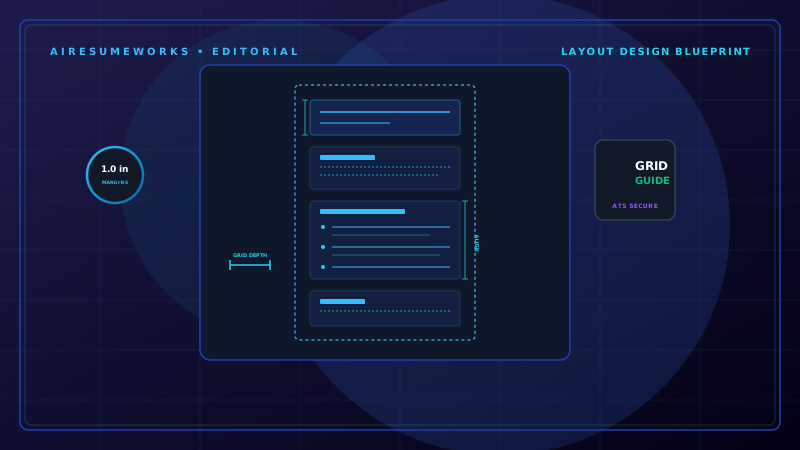
A resume's layout determines how easily a hiring manager can scan your information and understand your qualifications. A good resume layout should look professional, organize information logically, and make your most relevant experience easy to find.
The best resume layout is not necessarily the most colorful or creative design. For most job seekers, a clean and organized layout is more effective. Your goal is to create a resume that is easy to read for both people and applicant tracking systems (ATS).
What Makes a Good Resume Layout?
A professional resume layout should have:
- Clear section headings
- Consistent spacing
- Easy-to-read fonts
- Logical organization
- Appropriate margins
- Consistent dates and formatting
- Strong visual hierarchy
- Enough white space
- Easy-to-scan bullet points
The reader should be able to quickly locate your name, professional summary, experience, skills, and education without searching through the page.
Example of a Traditional Resume Layout
A traditional chronological resume might be organized like this:
- Your Name
- City, State | Phone | Email | LinkedIn
Professional Summary
A short summary describing your experience, strongest qualifications, and career focus.
Professional Experience
- Job Title — Company Name
- City, State | 2022–Present
- Accomplishment or responsibility
- Accomplishment or responsibility
- Accomplishment or responsibility
- Previous Job Title — Previous Company
- City, State | 2018–2022
- Accomplishment or responsibility
- Accomplishment or responsibility
- Accomplishment or responsibility
Skills
- Skill
- Skill
- Skill
- Skill
Education
- Degree — School Name
- City, State
This structure works well for many professionals because the information follows a familiar order.
Chronological Resume Layout
The chronological format is one of the most common resume layouts. Your work experience is presented with your most recent position first, followed by previous positions.
A typical structure is:
Contact information
Professional summary
Work experience
Skills
Education
Certifications or other relevant sections
This layout works particularly well when your employment history is relatively stable and your recent experience is relevant to the job.
Resume Layout for Someone With No Experience
A first resume may use a different order because education, projects, volunteer work, or relevant skills may be more important than employment history.
For example:
Your Name
Contact Information
Professional Summary
Short introduction focused on strengths and career goals.
Education
Degree, diploma, school, graduation date
Projects
Relevant school, personal, or professional projects
Skills
Technical and transferable skills
Experience
Part-time work, internships, volunteer work, or other relevant experience
Certifications
Relevant certifications or training
The goal is to emphasize the information that demonstrates your ability to perform the job, even if you have limited traditional work experience.
Resume Layout for a Career Changer
Career changers often need to emphasize transferable skills and relevant accomplishments. A possible layout is:
Contact information
Professional summary
Key skills
Relevant experience
Additional experience
Education
Certifications
For example, someone moving from retail management into office administration might emphasize:
- Team leadership
- Scheduling
- Customer communication
- Inventory management
- Data entry
- Reporting
- Problem solving
The layout can help direct attention toward relevant abilities rather than simply focusing on the person's previous job titles.
Single-Column Resume Layout
A single-column resume is simple and easy to follow. All information runs from the top of the page to the bottom in one main column. For example:
Name and Contact Information
↓
Professional Summary
↓
Work Experience
↓
Skills
↓
Education
↓
Certifications
This layout is particularly useful when you want a straightforward resume that is easy for ATS software to process. It also works well for applicants who want a traditional professional appearance.
Two-Column Resume Layout
A two-column resume separates information into two areas. For example, the larger column might contain:
Professional Experience
The smaller column might contain:
Skills
Certifications
Education
Contact information
Two-column designs can look attractive and make efficient use of space. However, complicated layouts may create problems for some ATS systems depending on how the document is constructed.
If you choose a two-column design, make sure the text remains selectable, readable, and logically organized.
Resume Layout With a Sidebar
Some modern resume templates use a sidebar for secondary information. A sidebar might contain:
Skills
Certifications
Languages
Contact Information
The main section might contain:
Summary
Experience
Education
This can create a polished appearance, but the design should remain simple. Avoid putting critical information exclusively inside decorative graphics or images.
Resume Layout for Technical Jobs
Technical professionals may want to give more space to skills, technologies, certifications, and projects. A possible structure is:
Name and Contact Information
Professional Summary
Technical Skills
Professional Experience
Projects
Certifications
Education
For example, a software professional might need to highlight:
- Programming languages
- Frameworks
- Databases
- Cloud platforms
- Development tools
- Certifications
The exact order should depend on the position and what the employer emphasizes.
Resume Layout for Students
Students and recent graduates may have limited professional experience. A layout could include:
Name and Contact Information
Education
Relevant Coursework
Projects
Internships or Experience
Skills
Certifications
Volunteer Experience
Not every section needs to be included. Only use sections that provide useful information for the particular position.
Use Clear Section Headings
Your section headings should make the resume easy to scan. Common headings include:
Professional Summary
Professional Experience
Work Experience
Skills
Education
Certifications
Projects
Volunteer Experience
Awards
Use consistent formatting for each heading. For example, if all section headings are bold and slightly larger than the body text, keep that formatting throughout the document.
Choose Readable Fonts
The font should make your resume comfortable to read. Common professional choices include:
- Arial
- Calibri
- Helvetica
- Georgia
- Times New Roman
You can use other professional fonts, but readability should be the priority. Avoid highly decorative fonts that may be difficult to read or process.
Use Appropriate Font Sizes
Your name can be larger than the rest of the document. Section headings can also be slightly larger than body text. The main content should generally remain comfortably readable.
Do not make the font extremely small just to force more information onto one page. If the resume feels overcrowded, consider removing unnecessary information or tightening the wording instead.
Use White Space Effectively
White space is the empty space between sections, headings, paragraphs, and other elements. A resume with too little white space can feel crowded. A resume with too much white space may make the applicant appear to have very little information.
The goal is balance. Use consistent spacing between:
Section headings
Jobs
Bullet points
Education entries
Skills
Other sections
Keep Margins Consistent
One-inch margins are a reliable starting point for most resumes. If you need slightly more room, you can reduce the margins modestly. Avoid extremely narrow margins simply to squeeze additional content onto the page.
The page should still look balanced and professional.
Make Dates Easy to Find
Employment dates should be consistent throughout your resume. For example:
- Customer Service Manager
- ABC Company | Atlanta, GA
- January 2022–Present
Another position might use:
Customer Service Representative
XYZ Company • Atlanta, GA
March 2018–December 2021
Do not switch randomly between different date formats. Consistency makes the document easier to scan.
Use Bullet Points for Experience
Large blocks of text are difficult to scan. Instead of writing a long paragraph describing your responsibilities, use concise bullet points. For example:
Managed customer accounts and resolved service issues. Trained new employees on customer service procedures. Prepared weekly performance reports. Improved response times by streamlining the customer support process.
Each bullet should communicate something useful.
Keep Formatting Consistent
Consistency is one of the simplest ways to make a resume look professional. Check that:
- Job titles use the same formatting
- Company names are formatted consistently
- Dates follow the same style
- Bullet points use the same style
- Section headings look the same
- Spacing is consistent
- Font choices remain consistent
A resume can contain excellent information but still look unprofessional if its formatting changes from section to section.
Avoid Overly Decorative Designs
A resume does not need to look like a brochure. Heavy graphics, multiple colors, large icons, photographs, decorative borders, and complicated visual elements can distract from the actual content.
For most professional positions, a clean layout is a safer choice. Creative industries may allow more design flexibility, but the content should still remain easy to understand.
Consider ATS Compatibility
Applicant tracking systems may extract text from resumes and analyze information such as job titles, skills, dates, and keywords. A complicated design can sometimes make this process more difficult.
For an ATS-friendly resume:
- Use standard section headings
- Use readable fonts
- Keep important information in text
- Avoid putting text inside images
- Use straightforward formatting
- Include relevant keywords naturally
- Keep the document organized
A simple resume layout can work well for both ATS software and human readers.
Match the Layout to the Industry
Different industries may have different expectations. A corporate accounting position may favor a traditional layout. A technology position may benefit from clearly presenting technical skills and projects.
A design position may allow more creative presentation. A healthcare position may benefit from a straightforward layout that makes qualifications, certifications, and experience easy to locate.
The safest approach is to consider what employers in your field normally expect while keeping your resume professional and readable.
Keep Your Most Important Information Prominent
The top portion of the resume receives significant attention. Use that space effectively. Your name, professional identity, summary, and most relevant qualifications should be easy to find.
If a particular certification is essential to the job, make sure it is not buried somewhere near the bottom of the document. Likewise, if your most relevant experience is several positions back, consider how you can make the connection to the target job clearer.
One Page or Two Pages?
The correct length depends on your experience and the requirements of the position. A recent graduate may have enough relevant information for one page.
A professional with many years of relevant experience may need two pages. Do not remove important accomplishments simply to force an experienced career into one page.
At the same time, do not add unnecessary information just to make a resume longer. Every section should earn its space.
Example of a Clean Professional Structure
A versatile resume layout could look like this:
- NAME
- City, State | Phone | Email | LinkedIn
PROFESSIONAL SUMMARY
Two or three concise sentences describing your experience and strongest qualifications.
PROFESSIONAL EXPERIENCE
- Job Title — Company
- Location | Dates
- Accomplishment or responsibility
- Accomplishment or responsibility
- Accomplishment or responsibility
- Previous Job Title — Company
- Location | Dates
- Accomplishment or responsibility
- Accomplishment or responsibility
- Accomplishment or responsibility
KEY SKILLS
Skill | Skill | Skill | Skill | Skill
EDUCATION
Degree — School Name
CERTIFICATIONS
Certification — Issuing Organization
Additional sections can be added when they provide relevant information.
Test Your Resume Before Applying
After completing your layout, look at the resume as if you were a recruiter seeing it for the first time. Ask:
Can I immediately tell what this person does? Is the most relevant experience easy to find? Can I quickly identify the person's skills? Are the section headings obvious? Is the document crowded? Is there too much empty space? Are the fonts easy to read? Are dates consistent? Can the resume be scanned quickly? Does the layout fit the job?
You can also use an ATS resume checker or resume scanner as an additional review. These tools can help identify potential formatting, keyword, or structure issues, although their scores should not be treated as an absolute measure of resume quality.
A professional resume layout should make the reader's job easier, not harder. Whether you choose a traditional chronological format, a simple single-column design, or a carefully constructed two-column layout, the most important qualities are clarity, consistency, readability, and relevance. Start with a clean structure, give the most important information appropriate emphasis, and tailor the layout and content to the position you are pursuing.