What Is a Resume Grader and How Does It Score Your Resume?
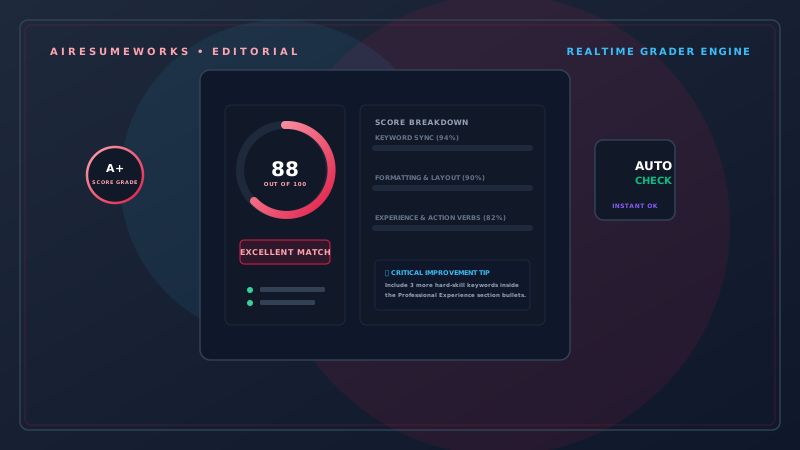
A resume grader is an online tool that analyzes your resume and provides feedback about its quality, content, formatting, or compatibility with a particular job.
Some resume graders provide an overall score, while others break the evaluation into categories such as keywords, skills, formatting, experience, and job-description matching.
These tools can be useful when you want another way to identify potential weaknesses in your resume. However, a resume score should be treated as feedback rather than a prediction of whether you will get an interview or job.
Different tools use different scoring systems, so a resume that receives a high score from one service could receive a lower score from another.
How Does a Resume Grader Work?
The exact process depends on the service, but most resume graders analyze information found in your resume. Some tools simply evaluate the resume on its own.
Others allow you to enter or upload a job description so the system can compare your resume with the specific position. The grader may examine:
Resume sections
Keywords
Skills
Work experience
Job titles
Education
Formatting
Length
Job-description relevance
ATS compatibility
The tool then generates feedback or a score based on its own evaluation criteria.
What Does a Resume Score Mean?
A resume score is usually a measurement created by the particular tool you are using. For example, one service might give you a score out of 100. Another might use:
- Excellent
- Good
- Needs improvement
Another might provide several individual scores instead of one overall number. There is no universal resume scoring system. This means a score of 85 from one service does not necessarily mean your resume is objectively better than a resume receiving 75 from another service.
The scoring system matters just as much as the number.
What Do Resume Graders Look For?
Resume graders can evaluate many different aspects of a resume.
Keywords
The tool may look for keywords that are relevant to the position. For example, a technology job might mention:
- JavaScript
- Python
- SQL
- Git
- Cloud computing
If those skills genuinely match your background, including them appropriately in your resume can make your qualifications easier to identify.
Skills
The grader may compare the skills listed on your resume with skills mentioned in the job description. If the employer specifically requests a skill you possess but your resume does not clearly mention it, the tool may identify it as a potential weakness.
Experience
The tool may analyze whether your work experience appears relevant to the position. It may look at:
- Job titles
- Responsibilities
- Accomplishments
- Years of experience
- Industry terminology
The more closely your actual experience relates to the position, the easier it may be to demonstrate your qualifications.
Resume Sections
Some graders check whether your resume contains common sections such as:
Professional Summary
Work Experience
Skills
Education
Certifications
Missing sections do not automatically mean a resume is bad. For example, someone who has no certifications does not need to create a Certifications section simply to satisfy a scoring system.
Your resume should reflect your actual background.
Resume Graders and Job Descriptions
One of the more useful ways to use a resume grader is to compare your resume with a specific job description. Consider a job posting that asks for:
Customer service experience, Salesforce, account management, and Microsoft Excel. Suppose your resume says:
Assisted customers and maintained account records. A resume grader might identify that your resume does not clearly mention some of the terminology found in the job posting.
If you actually used Salesforce and Microsoft Excel, you could revise the resume to make those qualifications clearer. For example:
Assisted customers with account issues, maintained customer records in Salesforce, and used Microsoft Excel to track account information. The revised version provides more specific information.
Resume Graders Can Help Identify Missing Keywords
Keyword analysis can be particularly useful when tailoring a resume. Start by reading the job description and identifying important terms. Then compare those terms with your resume.
If there is a genuine match, make sure your resume communicates it clearly. For example:
Job description:
- Project management experience required.
Resume:
- Coordinated multiple business projects and tracked deadlines, resources, and deliverables.
That experience may already demonstrate project management, but explicitly using the term "project management" where accurate can make the connection clearer.
Never add a keyword simply because a grader recommends it. Only include skills and qualifications you genuinely possess.
Resume Graders May Check Formatting
Some resume graders also analyze formatting. They may identify potential issues involving:
- Section organization
- Font usage
- Spacing
- Resume length
- Columns
- Graphics
- Contact information
- Headings
A clean resume is generally easier for both people and software to read. However, formatting recommendations should be considered in context. A tool might recommend removing a particular design element, but that does not necessarily mean the design is objectively wrong.
The most important question is whether the formatting makes your qualifications easy to understand.
Resume Graders and ATS Compatibility
Some resume graders specifically focus on applicant tracking systems. An ATS may process resumes submitted through an employer's application system. A resume grader may look for potential issues such as:
- Unusual formatting
- Missing keywords
- Difficult-to-read layouts
- Nonstandard section headings
- Information placed inside graphics
The goal is generally to make the resume easier for software to interpret. However, no third-party resume grader can guarantee how a particular employer's ATS will process your resume.
Different systems and employers can use different configurations.
What Is a Good Resume Score?
There is no universal score that guarantees a strong resume. If a tool gives you a score of 70 out of 100, that does not automatically mean your resume is poor.
Likewise, a score of 95 does not guarantee that an employer will contact you. Instead of focusing entirely on the number, look at why the tool gave you that score.
For example, the tool might identify:
- Missing job-specific keywords
- Weak accomplishment statements
- Missing skills
- Formatting problems
- An incomplete professional summary
Those recommendations can be much more useful than the score itself.
Don't Chase the Perfect Score
Trying to achieve a perfect resume score can lead to poor decisions. Imagine a grader recommends adding several keywords. You add every suggested term and your score increases.
But the resulting resume now contains repetitive phrases and becomes difficult for a person to read. The higher score does not necessarily mean the resume is better.
Your priority should be:
Accuracy → Relevance → Clarity → Readability
A resume should communicate your qualifications effectively, not simply maximize a software-generated number.
Use Resume Graders as a Second Opinion
A resume grader can be useful as an additional review after you have created your resume. A practical process is:
Step 1: Create your resume using accurate information. Step 2: Tailor it to the job description. Step 3: Run it through a resume grader. Step 4: Review the feedback.
Step 5: Identify recommendations that actually apply to you. Step 6: Make appropriate changes. Step 7: Read the entire resume yourself. Step 8: Check the final version for accuracy.
This approach prevents the scoring tool from becoming the sole decision-maker.
Don't Let a Resume Grader Invent Experience
One of the biggest mistakes is changing your resume simply to satisfy a scoring system. Suppose the job description asks for leadership experience and the grader recommends adding "team leadership."
If you have never supervised or led a team, you should not add that qualification. Instead, look for other genuine evidence of your abilities. Perhaps you:
- Trained new employees
- Coordinated projects
- Led a particular assignment
- Mentored coworkers
- Organized a team activity
Those experiences may demonstrate leadership without claiming something that is untrue. Your resume should always remain accurate.
Resume Graders Can Be Useful for Career Changers
Career changers may find resume grading particularly useful. A career changer often has transferable skills that are not obvious from previous job titles.
For example, someone moving from retail management into office administration might have experience with:
- Scheduling
- Customer communication
- Inventory
- Employee training
- Record keeping
- Problem solving
A resume grader comparing the resume with an administrative job description may identify areas where those transferable skills should be emphasized. This can help the applicant communicate their experience in terms that are more relevant to the new career.
Recent Graduates Can Also Benefit
Someone entering the workforce may not have extensive professional experience. A resume grader can identify areas where a resume could be strengthened through:
Projects
Internships
Coursework
Skills
Volunteer experience
Academic accomplishments
However, a student should not add information merely to make the resume appear more substantial. Relevant information is more valuable than unnecessary information.
Check the Feedback Manually
Do not accept every recommendation automatically. For each suggestion, ask:
Is this accurate?
If not, do not use it.
Is this relevant to the job?
If not, it may not belong on the resume.
Does this make the resume clearer?
If yes, consider using it.
Does this make the writing repetitive or unnatural?
If yes, revise it or leave it out. This keeps the resume focused on the employer rather than the grading software.
Privacy Is Worth Considering
Before uploading your resume to an online grading service, review the site's privacy information. Your resume may contain substantial personal information, including:
Name
Phone number
Employment history
Education
Professional qualifications
Find out how the service handles uploaded resumes and other information. Different companies may have different policies regarding storage, processing, and data use.
If privacy is important to you, choose services whose policies you understand and are comfortable with.
Can AI Be Used as a Resume Grader?
Yes. Some AI-powered services can evaluate resumes and provide recommendations. AI can analyze:
Job descriptions
Resume content
Keywords
Skills
Work experience
Writing quality
Potential gaps
AI can also explain why a particular section might be weak and suggest alternative wording. As with traditional resume graders, AI recommendations should be reviewed carefully.
AI can misunderstand your experience or make assumptions that are not accurate. Resume Grader vs. Resume Checker The terms "resume grader" and "resume checker" are sometimes used interchangeably.
However, there can be a difference in emphasis. A resume checker may focus primarily on identifying problems. A resume grader may provide a score or rating along with its analysis.
A service can also combine both functions. For example, it might give you an overall score and then explain that your resume is missing several important keywords.
The terminology used by different websites is not standardized, so look at the actual features rather than relying on the name.
When Should You Use a Resume Grader?
A resume grader can be particularly useful when:
You are applying for an important position You are not sure whether your resume matches a job You want to identify missing keywords You want a second opinion You are changing careers You have difficulty improving your resume You want to check ATS-related formatting concerns
You do not necessarily need to run every version of your resume through multiple graders. One useful evaluation followed by careful human review may be enough.
The Score Is Not the Goal
A resume grader can provide useful information, but the number on the screen is not the most important part. A successful resume should:
- Clearly explain your experience
- Highlight relevant accomplishments
- Contain accurate information
- Use appropriate keywords
- Be easy to read
- Be tailored to the position
- Present your qualifications professionally
Use the grader to identify potential problems, then decide which changes genuinely improve the resume. A resume is ultimately written for people, even when software is involved in the application process. The best use of a resume grader is therefore not to chase the highest possible score, but to discover weaknesses that you may have overlooked.
If the tool identifies a missing keyword that accurately describes your experience, a confusing section, or a weak accomplishment statement, make the appropriate improvement. If a recommendation would make your resume inaccurate, repetitive, or less readable, leave it out.
The strongest resume is not necessarily the one with the highest automated score. It is the one that accurately presents your qualifications, clearly matches the job, and gives a recruiter a compelling reason to keep reading.